Bannerlord Best Early Game Troops (and How to Level Them Fast)
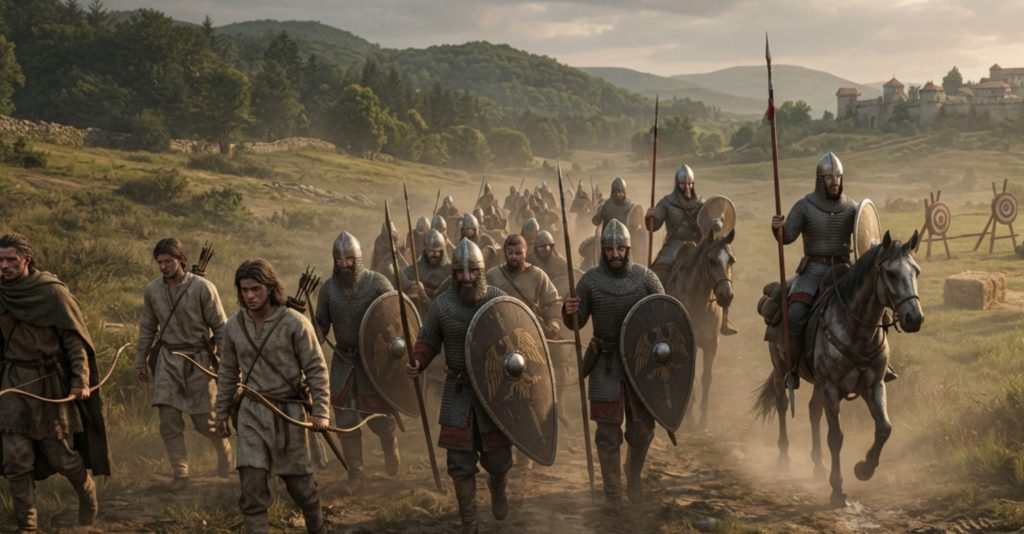
Bannerlord early game army of recruits and archers lined up before a battle

The early game in Mount & Blade II: Bannerlord is the part that breaks the most campaigns.

You start with a handful of recruits, a thin purse, and a world full of looters and bandits who are happy to grind your party into the dirt. The players who snowball into a kingdom are not the ones with the biggest army on day one.

They are the ones who recruit the right troops, keep them alive, and level them into elite units before the real wars start. Here is how to do exactly that.

If you want the full picture of which units top out strongest, our ranked breakdown lives in the ranked Bannerlord troop tier list.

This guide is the companion piece: what to recruit when you are broke, how to survive the early fights, and how to turn cheap recruits into the troops on that list as quickly as possible.

[walawala_toc]

The Golden Rule of Early Troops: Lean on Archers

Before we talk cultures, understand the single most important early game principle. Melee recruits die. When you throw a line of tier 1 and tier 2 infantry at a looter mob, some of them will not come home, and every loss is wasted money and time.

Ranged troops change the math. A block of archers can thin out looters and bandits before they ever reach your line, which means you take fewer casualties and your recruits survive long enough to actually level up.

This is why the early game rewards an archer heavy party. You do not need a balanced army yet. You need something that kills weak enemies safely and racks up experience without bleeding men.

Position your archers on a hill, hold your infantry in front of them as a screen, and let the arrows do the work. Cavalry is powerful but expensive and fragile early, so keep it to a small flanking group until your economy can support losses.

Best Early Troops by Culture

Every recruit you pull from a village belongs to that settlement's culture, and each culture's troop tree leans a different way. Here is where each one shines in the opening hours.

Where to Find Cheap Recruits

Most of your early troops come from the Recruit Troops option in villages and towns. The higher your relationship with a settlement's notables, the more recruits they offer and the better the pool, so do a few village quests early to open the taps.

Keep an eye out for higher tier volunteers that occasionally appear once your relations climb, which saves you the grind of leveling from tier 1.

There are two shortcuts worth knowing:

  1. First, mercenaries and the odd higher tier unit can sometimes be hired straight from taverns, letting you skip the bottom of the tree.
  2. Second, do not sell every prisoner.

With the right party perks you can recruit bandit and looter prisoners directly into your ranks, and forest bandits or sea raiders convert into genuinely useful troops. Turning the enemies you just beat into soldiers is one of the fastest ways to pad out an early army for free.

How to Level Troops Fast

Troops in Bannerlord gain experience almost entirely by fighting.

There is no training montage that replaces combat, so the fastest leveling comes down to picking the right fights and making sure your recruits actually participate in them. A few methods stack together:

Put those together and the loop is simple: recruit cheap, farm looters and bandits with an archer screen, keep your men alive with Medicine, and let Leadership perks top up the experience in between.

Do that for a few in game weeks and the sad little band of recruits you started with becomes a core of tier 4 and 5 troops ready for the field.

A Simple Early Game Army That Works

If you want a plug and play starting composition, aim for roughly half archers, a third infantry to screen them, and a small cavalry group for chasing down fleeing enemies and running loot.

Recruit Battanian or Imperial troops for the ranged core, use whatever sturdy infantry you can find as the front line, and resist the urge to overspend on cavalry until your economy can absorb the losses.

This mix handles looters, bandits, and early skirmishes with minimal casualties, and it scales naturally as those recruits climb their trees.

FAQ

What are the best early game troops in Bannerlord?

Archers, and Battanian archers in particular, since their tree leads to the Fian Champion, the best foot archer in the game. Imperial troops are the most widely available and well rounded. In general, a ranged heavy army takes the fewest losses early, which is what keeps a campaign alive.

What culture should I pick for the best early army?

Battania is the most forgiving thanks to its archers, and the Empire is the easiest to supply because imperial villages are everywhere. Vlandia and Khuzait have excellent units too, but their cavalry focused trees are more expensive and demanding early on.

How do I level up my troops fast in Bannerlord?

Fight constantly. Grind looters first, then bandits, and make sure your recruits actually take part in the battles. Fight manually in close fights to keep men alive, invest in Leadership perks that grant passive troop experience, and keep a high Medicine surgeon so wounded troops recover instead of dying.

Should I recruit bandit prisoners?

Yes, once you have the party perks that allow it. Converting forest bandits and sea raiders into troops is one of the fastest and cheapest ways to grow an early army, since you are turning enemies you already defeated into soldiers.

Related Reads


Barnburners Preview: Arcade Hockey With a Mean Streak

Barnburners arcade hockey oversized players delivering a hard body check on the ice

Growing up, I wasn't much of a hockey fan. Baseball and basketball were my sports, and living in Southern California, where the Kings and Ducks were the local teams, didn't exactly turn me, or anyone else for that matter, into a die hard fans.

But then, NHL Hockey and Wayne Gretzky came out for the Genesis and N64, and something clicked.

I didn't need to know every rule or follow the standings to have a good time. I just needed a controller, a friend to play with, and the chance to rip a slap shot past the goalie or flatten someone with a well timed check.

That is the magic of a good arcade sports game: it hands you the best parts of a sport without asking you to become an expert first.

Years later, PC hockey fans are still chasing that feeling. EA's NHL series hasn't been available for PC, which has left indie developers to fill the gap.

Recently I spent time with Barnburners, an upcoming hockey game from indie developer In2itiv.

I've also spent time with Center Ice Hockey, another independent effort that takes a more deliberate approach, emphasizing positioning, puck movement, and rhythm.

Barnburners goes the other way. It's faster, louder, and far more interested in sending players crashing into the boards. After going hands on, I can say the foundation is here for an entertaining alternative, with a few rough edges still to sand down. Let's hit the ice.

[walawala_toc]

Hockey's Biggest Bruisers

Barnburners doesn't want its players to look like ordinary athletes. The characters are larger than life, with exaggerated bodies that play up their size, strength, and toughness.

Think of them as the hockey brutes you picture after a particularly rough game, the kind who look like they could knock an opponent into the next time zone with one body check.

Where Center Ice Hockey gives its players natural, human proportions to match its grounded tone, Barnburners leans all the way into the spectacle of hard hits and heavy shots, and the style suits it.

The difference is less about one game understanding hockey better than the other and more about how each chooses to express it. Like two painters looking at the same scene: one uses broad, forceful brushstrokes to capture its energy, while the other works with a stencil and carefully layered paint to define its shapes.

They may be depicting the same subject, but their methods create entirely different impressions. Center Ice Hockey observes the sport; Barnburners amplifies it.

The arenas are nicely detailed, too. One touch I appreciated was watching scuff marks build up on the ice over the course of a game. It's subtle, but it makes the rink feel like a place where an actual match is being played rather than a surface that never changes.

None of this is trying to simulate pro hockey. It's built to deliver the excitement of a fast, physical arcade game, and the presentation backs that up.

Fast, Physical, and Chaotic

Barnburners gets straight to the action. Passing, shooting, and checking all happen at a rapid pace, and games can turn crazy chaotic in a hurry.

The shots carry real weight. When a player winds up and sends the puck at the net, it looks and feels like a serious attempt to score, and the puck ricochets around the rink convincingly, adding a layer of unpredictability.

You can feel the difference between simply moving the puck and unleashing a cannon, and when one finds the net the game makes sure you know about it. The body checks are just as over the top, less a nudge to separate a player from the puck than a heavy collision that sends opponents tumbling into the corners.

I also like the close up instant replays: after a big play the camera zooms in for another look, adding a little drama whether it's a powerful shot or a hit that leaves someone wondering what happened.

My one real concern is speed. Even on the slowest setting, the game feels a touch too fast for my taste. I enjoy quick arcade hockey and I don't want Barnburners to lose that identity, but I'd like a better balance between the arcade pace and the underlying mechanics of the sport.

A slightly slower option would give players room to set up passes, build scoring chances, and actually develop a strategy instead of constantly reacting to the next thing on the ice.

A game can be fast without making every moment feel rushed, and finding that line would make this more enjoyable for anyone who wants some hockey mixed in with the big hits.

Controls and Sound Land Where It Counts

For a game this quick, responsive controls are essential, and Barnburners delivers.

Passing and shooting react immediately, and the inputs feel precise enough to keep up with the action, so when a scoring chance opens up you can take it rather than fighting the game while the puck is already down the ice.

The sound design helps, too. The crowd clapping and cheering feel realistic and give the arenas a sense of atmosphere without pulling focus from the play. Between the sharp controls, the heavy shots, and the crowd atmosphere, every matches feel genuinely lively.

Fighting Has Room to Grow

Given the emphasis on the physical play, fighting is a natural fit. Barnburners lets players grab and grapple with opponents, but this piece feels less developed than the rest right now.

In my opinion, the fix isn't to make fighting the main attraction, it's to use it for personality. For example, I'd like to see more incidental shoving and confrontations after a hard hit or a cheap play before it boils over into a full fight so you feel tension building on the ice.

I appreciate that the game already lets you limit or disable fighting entirely, since not everyone wants it, and giving players that option is the right call. With more work, it could become a natural extension of the physical style rather than a feature off to the side.

Franchise Mode and Team Management

Barnburners isn't only about chasing the puck. It also includes records, team statistics, and front office management features for players who like building and running a team over time.

That's an encouraging addition, because arcade sports games are at their best when they give you a reason to come back beyond another quick match. I haven't spent enough time with these systems to judge their depth, but I'm interested to see how they develop.

One thing I'd like is the ability to import real players or build custom rosters. Barnburners currently uses fictional teams like the Condors and Wranglers, and there's nothing wrong with that, it gives the developer room to create its own hockey world.

Still, plenty of players enjoy recreating real matchups or stacking a dream roster, and custom support would give the community another way to make the game theirs.

What Still Needs Work

None of these are reasons to dismiss what's here, just the areas I'd point the developer toward to these:

  1. The pace is the big one. Even the slowest setting runs a little hot, and a touch more breathing room would let positioning and strategy matter without sacrificing the speed that makes the game stand out.
  2. The player animations are mostly solid but occasionally jerky, especially in transitions between defense and offense, or when a player intercepts a pass and snaps into position instead of bending down to reach for the puck. In a sport where movement matters this much, a few more animation frames would help the action read more cleanly.
  3. The menus could use refinement, too. Changing the in game camera meant backing out to the main menu and digging through the gameplay tabs, when options like that belong in the pause menu where players expect them. And as mentioned, more roster flexibility would be a welcome addition down the line.

Early Verdict

Barnburners has made a good first impression. It's fast, physical, and unapologetically arcade, and the exaggerated bruisers, heavy shots, hard checks, responsive controls, and lively arenas give it a distinct personality.

I like that it doesn't try to copy every other hockey game. Instead, it embraces the fun of arcade sports rather than chasing realism at every turn, and that's refreshing.

What it needs is a bit more balance in the pace, smoother animations, easier access to settings, more depth to the fighting, and eventually custom rosters. These are refinements, not dealbreakers, and the game is still in development with time to address them.

For PC players shut out of EA's NHL series, it's good to see developers like In2itiv taking on the challenge. Between Center Ice Hockey's deliberate approach and Barnburners' full throttle action, PC hockey fans are finally getting different takes on what the sport can be in a game.

For now, I'm enjoying what I've played, because sometimes you don't need a perfect simulation. Sometimes you just want to grab a controller, fire a cannonball at the net, and check someone into the boards along the way, and Barnburners is already pretty good at that.

FAQ

What is Barnburners?

Barnburners is an upcoming arcade hockey game from indie developer In2itiv. It leans on exaggerated, oversized players, powerful shots, and hard body checks, with records, statistics, and front office management on the side. It's built for fast, physical arcade action rather than realistic simulation.

Is Barnburners out yet?

Not yet. It's still in development. This article is a hands on preview of an in development build, not a scored review, so there's no final verdict or numeric score here.

How does Barnburners compare to Center Ice Hockey?

They aim at different players. Center Ice Hockey is more deliberate, emphasizing positioning, puck movement, and rhythm, while Barnburners is faster and more physical, built around big hits and heavy shots. If you want arcade chaos, Barnburners leans that way.

Does Barnburners have real NHL teams?

No. It uses fictional teams such as the Condors and Wranglers. We'd like to see custom rosters or player imports added, but as of this build the teams are made up.

Related Reads


Blastlane Racers Early Impressions: A Combat Racer That Needs Room to Breathe

Blastlane Racers top down arcade combat racing with weapons and colorful tracks

There is something about a good arcade racer that takes me straight back to 16 bit consoles and Amiga gaming, back when racing was less about realism and more about keeping you on the edge of your seat, blowing up your opponents, and making sure you had a good time doing it.

That is the feeling I get from Blastlane Racers, the upcoming top down combat racer from indie developer High Mountain Games. Playing it brings back memories of Super Cars II and Rock N' Roll Racing, where crossing the finish line was only part of the challenge. You also had to survive your opponents, their weapons, and whatever the track decided to throw at you.

There is a lot to like here. The presentation is colorful, the controls are responsive, and the four player split screen is a welcome reminder of when gathering friends around a television was half the fun.

After some time with the demo, though, I also think the game could use a few adjustments, because combat racing works best when the action keeps moving, and there are moments when the tracks get in the way of that.

[walawala_toc]

A Colorful Throwback With Real Style

The art style caught my attention first. The graphics look good, with bright colors and textures that give the environments a solid, defined look.

The backgrounds have enough detail to feel like actual places rather than flat surfaces with a few objects scattered on top, and there is a subtle depth effect that pushes the scenery into the distance while keeping the cars and the road in focus.

It gives the presentation some depth without distracting from the racing, and it is a nice reminder that a game does not need photorealism to look appealing.

The soundtrack matches it. There is a rock and techno energy to the music that suits the arcade atmosphere and gives the races personality.

For anyone who grew up with older racers, Blastlane Racers feels familiar in the best way, leaning on action, color, and the occasional explosion rather than simulating every detail of driving. That is a good foundation to build on.

Precise Controls, Cramped Tracks

The controls are a strong point. Steering feels precise and responsive, which matters in a game where you are constantly taking corners, dodging hazards, and fending off opponents.

The issue is not how the cars handle, it is how often the track layout makes you fight the course itself. Many tracks are a steady stream of turns that have you braking, steering, accelerating, and then immediately bracing for the next corner.

In a straight racing game, for example, that might be fine. But this is a combat racer, so you are also managing weapons, watching for incoming attacks, and deciding when to pop a shield. There is already plenty to think about without wrestling a succession of tight corners.

I would love to see some tracks widened so that when several cars converge on the same turn, there is room to pick a line and trade attacks instead of everyone fighting for the same few inches of road. Just as important, the game needs longer straightaways.

Those stretches would let you recover your bearings, build speed, and focus on the combat, and they would give the tracks a better rhythm between the chaos. Crash 'n Burn on the 3DO understood this: its sweeping turns and longer stretches gave the action room to develop. Not every track needs to be an open highway, but a better balance of turns, jumps, and straights would let the combat shine.

A Crash Shouldn't End Your Race

This is where I think the game needs the most attention. Combat racing is supposed to be chaotic, and I have no problem getting blown off the track by a well placed mine or a missile from an opponent who earned it. That is the fun.

What frustrates me, however, is when a missed corner or a bump into the environment becomes a much bigger problem than it should be. Between the turns, banked sections, and jumps, it is easy to lose your line, end up against a wall, and come to a complete stop. Then you have to reverse, reorient, and get moving again while the field vanishes into the distance.

That dead stop is what kills the momentum for me. In an arcade combat racer, the action should always move forward, so even a crash should preserve some speed or snap you back into play quickly.

I'm not asking for crashes to have no consequences. Lose a few seconds, lose a position, fair enough. But there is a difference between a small penalty for a bad corner and being effectively removed from the race because your car is stuck against a barrier.

A brief forward boost after a collision, automatic repositioning, or a quicker recovery system would keep the race moving without erasing the cost of a mistake. The goal should be getting players back into the action within seconds.

Mark the Jumps

The game also needs to do more to teach its tracks, especially the jumps. In my first few races I mistook jump sections for the edges of cliffs, turned away from them, and watched the game slowly reset my car back onto the track.

That is a frustrating introduction to a mechanic that should be exciting. Jumps can add real strategy, positioning your car, judging your speed, thinking about the landing, but players need a heads up, especially while they are still learning the courses.

A simple marking on the track or a quick β€œPrepare for jump” prompt would go a long way, giving you time to straighten out and stop mistaking a ramp for a drop into oblivion.

The early races in general should ease players into the controls, layouts, and combat, so the difficulty comes from mastering the racing rather than guessing what the track is asking of you.

Keep the Pack Close

My other big wish is smarter catch up when you fall behind.

Right now, a crash, a missed corner, or an unfamiliar jump can cost enough time that the rest of the field becomes a distant memory. You are still driving, but the other cars are so far ahead that you are no longer part of the action that makes the game fun, and at that point you may as well restart.

Road Rash and Road Redemption are useful references here, not for their perspective but for their principle: even when you are not leading, there is always another opponent to deal with, another reason to keep pushing. A combat racer should give you that.

Whether it comes from adjusting opponent behavior when a player drops back or seeding more encounters through the race, the point is to keep the fight within reach. I am not asking for handed out wins.

Finishing last after a hard fought race is fine. Spending the final stretch racing by yourself is not.

A Little More Grit

One smaller note: for a game built around vehicular mayhem, the tracks could show more evidence of it. Wrecked cars, scattered debris, damaged barriers, and other remnants of past encounters would make the world feel like a place where these battles have been happening for a while.

I would not lose the bright, appealing art style, but a few grittier details would give the environments a stronger sense of danger. After all, these are not ordinary races. They are supposed to be battles on wheels.

Four Player Split Screen Is the Highlight

The feature I appreciate most is the four player split screen. For anyone who remembers crowding around a console for Rock N' Roll Racing, this is a genuine draw, where every close finish, missed turn, and well timed attack becomes a shared moment.

Local multiplayer also gives a game like this staying power beyond its solo modes: learn the tracks, sharpen your driving, then bring friends in to see who can handle the chaos. With its retro presentation and combat focus, Blastlane Racers feels built for exactly that kind of couch competition, and it is the strength I would most want the developers to keep leaning into.

Early Verdict

My early impressions of Blastlane Racers are positive overall. I like the graphics and the colorful art direction, the controls are responsive, the soundtrack fits, and the four player split screen brings back the best of classic arcade racing. There is a solid foundation here for a fun indie combat racer.

What it needs is room to breathe: wider tracks, longer straightaways, a quicker way to recover after a crash so your car doesn't come to a dead stop, clearly marked jumps, and a better job of easing new players in.

Most of all, the action has to stay within reach, so a mistake costs you time without costing you the race. Give us space to maneuver, time to build speed, and competition close enough that every race feels like a battle worth fighting, and this could be a lot of fun.

These are early impressions, not a final verdict, and with release approaching I am genuinely interested to see how it develops. Because when a combat racer gets it right, it should never feel like you are just driving around waiting for the finish line. It should make you want to start another race and settle a few scores.

FAQ

What is Blastlane Racers?

Blastlane Racers is an upcoming top down arcade combat racer from indie developer High Mountain Games. You race, use weapons, and survive track hazards across colorful circuits, with four player local split screen. It takes after classics like Super Cars II and Rock N' Roll Racing.

Is Blastlane Racers out yet?

Not yet. There is a free demo on Steam, and the full release is still to come. This article is a hands on preview of the demo, not a scored review.

Does Blastlane Racers have multiplayer?

Yes. It has four player local split screen, which is one of its biggest strengths and perfect for couch competition. We were playing the demo, so our impressions focus on the racing and combat.

Is Blastlane Racers worth watching?

If you like retro arcade combat racers, yes. The art, controls, and split screen are promising. It still needs wider tracks, longer straightaways, and quicker crash recovery, but the foundation is there, and the developers have time to refine it before launch.

Related Reads


NBA 2K27: How to Play Every Position in Rec (Role Guide, Not Builds)

NBA 2K27 Rec five on five gameplay showing all five positions

Every Rec game I've played has one.

A 7' foot center bringing the ball up the court, waving off the point guard, and launching a step back three with nine seconds on the shot clock. He misses, the other team leaks out, and four people quietly decide never to queue with him again.

The build isn't his problem. His position is a job, and he's not doing it.

You can find a hundred guides with the perfect attribute spread for every position, and they're useful, but a 92 three point rating won't save you if you're standing in the wrong spot.

NBA 2K27 rewards players who understand their role, especially in 5v5 modes like Rec and Pro Am, where four teammates are counting on you to do your part.

So this guide isn't about sliders and badge tokens. It covers how to play each position: what your job is, what the good players do without thinking about it, and the habits that get you passed over in Rec.

Quick note: if the game itself is the thing fighting you, crashing, stuttering, or dropping frames on PC, start with our NBA 2K27 PC guide to fixing crashes, stutter, and low FPS. It's hard to run a pick and roll at 22 frames per second.

[walawala_toc]

The One Rule That Applies to Every Position

Before we break it down by role, here's the rule that matters more than anything else in this article: play the role, not the build. Your build and your role tell you two different things.

  1. Your Build tells you what you are capable of.
  2. Your Role tells you what the team needs from you.

Builds and Roles aren't the same thing, and the best players know the difference. A center with a decent jumper is still a center. A point guard who can dunk is still responsible for getting the offense into something that resembles basketball.

Think of it like a baseball lineup. Your cleanup hitter can probably lay down a bunt, but if he's doing it every at bat, something has gone very wrong in the dugout.

Point Guard: You're the Dispatcher, Not the Hero

Your role: You run the offense. You bring the ball up, get the team into a set, make the first read, and get the ball to whoever's open. Scoring is part of the job, but it's not the whole job, and in Rec it usually isn't even most of it.

How to Play It

Habits That Get You Benched

Shooting Guard: Be the Outlet, Punish the Closeout

Your role: You space the floor, give the ball handler a reliable option, and make the defense pay for helping off you. On defense, you're usually locking down the other team's best perimeter scorer, or close to it.

How to Play It

Habits That Get You Benched

Small Forward: Fill Whatever Job the Team Is Missing

Your role: Small forward is the utility position, and it's arguably the most important one in Rec. On any given night, you might be the second ball handler, the lockdown defender, the extra rebounder, or the slasher who keeps the defense honest. Your job is to notice what the team is missing and fill it.

How to Play It

Habits That Get You Benched

Power Forward: Space, Help, Rebound, Repeat

Your role: Depending on your build, you're either a stretch four who pulls a big out of the paint or a physical forward who rebounds, screens, and finishes inside. Either way, the job is about spacing on offense and help defense on the other end.

How to Play It

Habits That Get You Benched

Center: Box Out, Outlet, Screen, Protect the Rim

Your role: You anchor the defense, own the glass, set screens, and finish around the rim. A good center makes everyone else's job easier. A bad one makes the whole team look broken.

How to Play It

Habits That Get You Benched

Position Cheat Sheet

PositionMain JobDo ThisAvoid This
Point GuardRun the offenseMake early reads, use the pick and roll, find the open manOver dribbling, shooting every possession
Shooting GuardSpace and scoreMove off the ball, punish closeouts, defend the perimeterCalling for the ball every time, standing still
Small ForwardFill the gapsConnect passes, switch on defense, crash the glass when neededPlaying like a second PG, disappearing on defense
Power ForwardSpace and helpScreen, rotate on defense, box outForcing threes, chasing steals outside
CenterAnchor the paintProtect the rim, rebound, outlet, roll hardBringing it up, dribbling at the top, hunting threes

Defense Tips That Work at Every Position

Defense is where you can tell who understands their role. A few habits help no matter where you play.

Picking the Right Position for How You Actually Play

If you're still choosing a MyPLAYER build, be honest about how you like to play, not how you wish you played.

Once you've picked a role, the build guides out there can help you dial in the numbers. Just remember that the build exists to serve the role, not the other way around.

Final Thoughts

NBA 2K27 is at its best when five players understand their jobs and trust each other to do them. You don't need the most overpowered build to be the teammate everyone wants back in Rec. You need to know where to stand, when to pass, and when to box out. Play your position, make the right read, and save the step back threes for when they're actually open. Your teammates will notice. Your win percentage will too.

Frequently Asked Questions

What is the easiest position to play in NBA 2K27?

For most beginners, shooting guard or small forward is the easiest. You don't have to run the offense like a point guard or carry the rebounding and rim protection load like a center, so you can learn spacing, cutting, and defense at a comfortable pace.

What is the most important position in NBA 2K27 Rec?

Every position matters, but point guard and center tend to decide Rec games. A point guard who makes good reads keeps the offense flowing, and a center who rebounds and protects the rim limits the other team's easy points.

Should centers shoot threes in NBA 2K27?

Only if the build supports it and the shot is open within the flow of the offense. A center's main job is still rebounding, screening, finishing, and protecting the rim. If your team is losing the battle on the glass, the three pointer can wait.

How do I stop getting benched or ignored in Rec?

Play your role. Pass to open teammates, move without the ball, box out, and avoid forcing shots. Players who make the game easier for others get the ball more, not less.

Does my build or my playstyle matter more?

Your build sets what you're capable of, but your playstyle decides whether your team wins. A well built player with poor court IQ will still hurt the team. Pick a build that fits the role you actually want to play.

Where can I fix NBA 2K27 performance problems on PC?

If you're dealing with crashes, stutter, or low FPS, check out our NBA 2K27 PC troubleshooting guide for step by step fixes and the best performance settings.

Related Reads


OOTP 27 Best Settings for New Players: What to Turn On (and Off)

Out of the Park Baseball 27 game and league settings screen

The settings screen is where a lot of new OOTP players freeze. There are dozens of toggles, sliders, and options, and it is not obvious which ones matter or which way to push them.

Here is the thing: your goal on day one is not maximum realism, it is learning the game without drowning. A handful of settings get you there, and you can turn the complexity up later.

This is the companion to our OOTP 27 beginner's guide, so start there if you have not set up a save yet, then use this to dial it in.

[walawala_toc]

Difficulty: Start on Majors

OOTP 27 has four difficulty tiers, and picking the right one matters more than any slider. From easiest to hardest they are Minors, Majors, All Star, and Hall of Fame.

Pick Your Role, Then Delegate

Early on you will choose whether you are the manager, the general manager, or both. Taking both is fine and even recommended, because it lets you see the whole game, but only if you lean on delegation.

Hand the AI any job you have not learned yet, lineups, pitching changes, contracts, the draft, and take each one back as you get comfortable.

Doing all of it manually from the first pitch is the fastest way to burn out. Delegate first, graduate later.

Turn Off Being Fired While You Learn

OOTP lets you decide whether a bad season can cost you your job. For a realistic career, leaving it on is great. For learning, turn it off. Job security means you can experiment, make mistakes, run a bold strategy into the ground, and not have your save end because of it.

You will learn far more from a few terrible seasons you survived than from one you got fired for. Switch it back on once you actually know what you are doing.

Consider Turning Finances Off (At First)

This is the beginner relief valve almost nobody mentions. OOTP lets you play with the financial system switched off, which removes budgets and contracts from the equation so you can focus purely on the baseball, building a roster, setting a lineup, developing players.

For a brand new player, that is a huge reduction in mental load. Learn the on field game first, then switch finances on when you are ready to run the business side too. Just know that managing the budget is a big part of what makes OOTP deep, so this is training wheels, not a permanent setting.

Ease the Realism Toggles

A few optional systems add realism and complexity. While you learn, it is fine to simplify them:

Leave the Rest on Default

Here is the mistake experienced players make and beginners inherit: changing dozens of settings before you understand what they do. OOTP's defaults are carefully balanced by people who know the game, so resist the urge to tweak everything on day one.

Change the handful above, start your save, and only adjust a setting once you have a specific reason, something that is bugging you or that you want to work differently. Let questions drive your changes, not a desire to touch every slider.

Settings to Revisit Once You Are Comfortable

After a season or two, you will outgrow the training wheels, and that is the point. When you are ready, turn finances and morale back on, switch being fired on for real stakes, pull jobs back from the AI so you are making the decisions, and consider bumping the difficulty toward All Star for a sterner test.

The beauty of OOTP is that the same save grows with you. Start simple, and let the game get as deep as you want it to be.

The Bottom Line

Set difficulty to Majors, take both roles but delegate freely, turn off being fired, and consider switching finances off while you learn.

Simplify morale and scouting if you like, leave injuries and trades on default, and do not touch everything else until you have a reason to.

Those few changes turn an intimidating settings screen into a save you can actually learn on, and when you are ready, every one of them can be turned back toward full realism.

FAQ

What difficulty should a new OOTP 27 player use?

Majors. It is the baseline the game is balanced around, challenging but fair. Minors is fine if you want it easier, but avoid All Star and Hall of Fame early, because the AI gets heavy handed trade and contract advantages on those tiers.

Should I turn off finances in OOTP 27?

As a new player, it is worth it. Switching finances off removes budgets and contracts so you can focus on the on field game while you learn, then turn them back on once you are ready for the business side. It is training wheels, not a permanent choice.

Should I let the game fire me in OOTP 27?

Not while you are learning. Turning off the ability to be fired lets you experiment and make mistakes without ending your save. Switch it back on later when you want real career stakes.

Do I need to change a lot of settings in OOTP 27?

No. Set the difficulty, pick your role, and flip a few beginner friendly toggles, then leave the rest on default. The defaults are well balanced, so only change a setting once you have a specific reason to.

Related Reads


OOTP 27 Beginner's Guide: How to Play Out of the Park Baseball

Out of the Park Baseball 27 team management and roster screen

Out of the Park Baseball 27 is the deepest baseball game ever made, and that is both the draw and the problem. Open it for the first time and you are staring at menus full of ratings, budgets, scouting reports, and settings, with no clear idea where to click.

The good news is you do not need to understand all of it to start having fun. This guide gets you from the main menu to your first winning season, and it is the hub for our deeper OOTP guides. If you are deciding which version to buy, start with our OOTP 27 vs 26 comparison first, then come back here.

[walawala_toc]

Start With an MLB Quick Start and a Team You Know

Do not begin by building a custom fictional universe. That is a wonderful rabbit hole, and it is the wrong place to learn. Use the MLB Quick Start instead, and pick a real team you actually follow.

Knowing the players already means the ratings will make sense faster, because you can look at a name you recognize and see how the game rates him. Familiarity is the fastest teacher OOTP has, so lean on it.

Let the AI Carry What You Do Not Understand Yet

This is the single most important beginner tip, and it is the one that saves people from quitting in frustration. OOTP lets you hand off any part of the job to the AI, so you do not have to do everything at once. Ease in:

You will not play like this forever. But doing everything manually on day one is how people bounce off the best sim in the genre.

Learn to Read Player Ratings

Ratings are the language of OOTP, and two ideas unlock most of them.

  1. First, every player has current ability and potential: what he can do now, and the ceiling he might reach with development. A young player with modest current ratings and high potential is a prospect worth patience, not a bust.
  2. Second, the ratings you see are filtered through your scouting, so they are an informed estimate, not gospel. Better scouting means more accurate numbers. For hitters, prize contact and on base skills and be wary of high strikeout profiles. For pitchers, movement and control carry a long way. Do not chase one flashy number, read the whole card.

Set Your Lineup, Rotation, and Bullpen

Once you are ready to take the controls, these three decisions matter most on the field.

Scouting and Player Development: The Long Game

OOTP is not just about this season, it is about building something. Your scouts shape how accurately you see talent, both your own prospects and players on other teams, so investing in scouting pays off across every decision you make.

Meanwhile, young players develop over time toward their potential, and patience with a good prospect usually beats chasing a quick fix. The teams that win in OOTP are the ones that scout well and develop their own talent, not the ones that panic trade every slump.

Mind the Budget

You are not just a manager, you are running a business. Every contract comes out of a budget, and overspending now limits what you can do later.

You do not need to master the finances on day one, especially if you let the AI handle the front office at first, but keep half an eye on your payroll so a few big contracts do not box you in. A healthy budget is what lets you add the piece that wins you a pennant.

Customize Your Ballpark

A small trick with a real payoff: you can tune your ballpark to suit your roster. A lineup full of power hitters wants a park that rewards home runs, while a pitching and defense team benefits from more spacious dimensions.

It is a minor edge, but a free one, and it is the kind of detail that makes an OOTP save feel like truly your team.

Use the Manual, the Tutorials, and Just Play

Finally, do not try to read everything before you start. OOTP has an in game manual, video tutorials, and a famously helpful community.

But the fastest way to learn is to start a Quick Start save. Let the AI cover what you do not know, and look things up as questions come up. You learn this game by playing it, one season at a time.

The Bottom Line

Start with an MLB Quick Start and a team you know, delegate the parts you have not learned, and turn on the cannot be fired safety net.

Read ratings as current ability versus potential, set a sensible lineup and rotation, and treat scouting and development as the long game that actually wins.

Mind your budget, tune your ballpark, and learn by playing. Do that and OOTP 27 goes from overwhelming to the most absorbing baseball game you will ever touch.

FAQ

How do you start playing OOTP 27 as a beginner?

Use the MLB Quick Start and pick a real team you follow, so the ratings make sense faster. Then let the AI handle the areas you have not learned yet, and take control of them one at a time as you get comfortable.

Is OOTP 27 hard for beginners?

It is deep, not hard. The depth is overwhelming at first, but you can delegate anything to the AI, turn on the cannot be fired option, and lower the complexity while you learn. Ease in and it becomes very approachable.

How do player ratings work in OOTP 27?

Each player has current ability and potential, and the ratings you see are filtered through your scouting, so they are an estimate. For hitters, value contact and on base skills; for pitchers, movement and control. Read the whole card rather than one number.

What should I focus on first in OOTP 27?

Get your lineup, rotation, and bullpen set, then let scouting and player development build your future. You do not need to master finances or trades on day one, especially if the AI is running the front office while you learn.

Related Reads

  • OOTP 27 Best Settings for New Players

  • Geometry Rift: Apocalypse Hands On Preview: Tempest Meets the Bullet Hell

    Geometry Rift: Apocalypse neon bullet hell gameplay with geometric enemies filling the screen

    Some games remind you of where you've been. Others remind you why you loved it. Geometry Rift: Apocalypse, a game from indie studio Dad & Son Games, manages to do both, and it only took one demo to do it.

    Within the first few minutes, I was a kid again, walking into an arcade for the first time. The lights were flashing, the cabinets were humming, and over the noise I caught my first look at a screen full of explosions so bright and wild I couldn't look away. I hadn't felt that in a long time. Geometry Rift brought it right back.

    The Steam page calls it β€œthe ultimate arcade chaos,” and for once the marketing isn't overselling the hype.

    This is a bullet hell roguelite where thousands of geometric enemies fill the screen, weapons and powers stack into ridiculously overpowered builds, and huge bosses show up to remind you that you are not, in fact, invincible. Not yet, anyway.

    [walawala_toc]

    Older Than Geometry Wars

    The obvious comparison is Geometry Wars, and the developers have said openly that it was an inspiration. I'd go back a little further, though. What I kept thinking about while playing was Tempest.

    In Tempest, everything blew up spectacularly and in all kinds of shapes, but you were stuck on the rim of that funnel, steering along the edge while the vectors came up at you.

    Now picture Tempest let loose across the whole arcade screen instead of being clamped to a tube. That's the feeling Geometry Rift gives me. It has the same neon violence and the same β€œhow is my ship still alive” panic, with nothing holding you to the edge.

    The explosions are huge and so are the enemy designs. The detail I keep coming back to is the background. It warps and distorts as the action builds, which gives the screen a kind of parallax depth, like you're actually bending space and time around your ship.

    It feels like a small space warp happening right under your thrusters. The whole thing looks like an architect got carried away with bizarre shapes and impossible angles, then handed you a ship to see how spectacularly you could demolish their work.

    The music, however, sells all of it, pounding along with the onscreen action instead of just playing behind it. Between the sound and the visuals, this demo has more style than some finished games I've played.

    Built to Keep You Coming Back

    The goal is about as arcade as it gets: stay alive and chase the high score. That's it, and that's all it needs to be.

    Upgrades come quickly and they hit hard. You don't wait ten minutes for your build to get interesting, because you're stacking power almost right away. Permanent traits and skills also stay with you between runs, so every death still moves you forward.

    You'll die a few times (okay, more than a few), but you come back stronger each time, and that loop of β€œone more run” is exactly where it should be.

    The demo also lets you play how you like, with auto fire for pure chaos or full twin stick manual aiming if you want more control, solo or with a friend in local co op.

    The full game is promising even more, 18 unlockable ships across four worlds, each with its own final boss, so there is clearly a lot more coming.

    I can only talk about what's in the demo right now, but what's here shows a lot of promise.

    Room to Grow (Literally)

    There's still some work to do, and most of what I'd change comes down to space, both how much of it you get and how you move through it.

    The Verdict So Far

    Geometry Rift: Apocalypse is fun, plain and simple. It hits every button I want it to hit as a shooter, a roguelite, an action game, and a bullet hell.

    Its biggest strength is that it feels both modern and retro, so it can bring in newer players who grew up on bullet heavens and older ones like me who remember feeding quarters into vector cabinets.

    I'm grateful for that more than anything. It's rare for something new to send me straight back to the fast, twitchy, all or nothing arcade games I grew up on, and this one does it without feeling like a museum piece. It's a modern game that understands why the old ones worked.

    The demo is free on Steam right now, and the full release is planned for early 2027. This is one I'll be keeping an eye on.

    FAQ

    What is Geometry Rift: Apocalypse?

    It is a neon bullet hell roguelite from indie studio Dad & Son Games, where thousands of geometric enemies fill the screen and you stack weapons and powers into overpowered builds while chasing a high score. It blends the feel of Geometry Wars and Vampire Survivors with a heavy arcade streak.

    Is Geometry Rift: Apocalypse out yet?

    Not fully. There is a free demo on Steam now, and the full release is planned for early 2027, with console versions also announced. This article is a hands on preview of the demo, not a scored review.

    How does Geometry Rift play?

    You can use autofire for pure chaos or twin stick manual aiming for more control, solo or in local co op. Upgrades come fast, and permanent traits carry between runs, so every death still moves you forward.

    Is Geometry Rift: Apocalypse worth trying?

    If you like bullet hell shooters, roguelites, or old vector arcade games, the free demo is well worth a look. It is stylish, chaotic, and fun, with a few rough edges around space and movement that the developers still have time to refine.

    Related Reads

  • Blastlane Racers Early Impressions: A Retro Combat Racer

  • OOTP 27 vs 26: Should You Upgrade? (Honest Comparison)

    Out of the Park Baseball 27 franchise management screen

    Every year, Out of the Park Baseball players ask the same question: is the new one actually worth it, or is it last year's game with a fresh coat of paint? It is a fair question, because OOTP is an annual release and the changes are rarely flashy.

    Having spent time in both OOTP 27 and OOTP 26, here is the straight answer. The short version: OOTP 27 is refinement rather than revolution, but a couple of the changes are big enough to matter, and whether they are worth your money depends on what kind of player you are.

    Let's break it down.

    What's Actually New in OOTP 27

    These are the changes you will actually notice coming from OOTP 26, in rough order of how much they matter:

    What Stayed the Same

    Under all of that, OOTP 27 is built on the same deep management engine you already know.

    The core experience, running a franchise across scouting, player development, finances, lineups, and rotations, is the same foundation, refined rather than reinvented.

    That is good news if you love how OOTP plays and bad news if you were hoping for a dramatic reinvention. This is a surgical tune up of an already excellent sim, not a new game.

    The Honest Catch

    Two things to be straight about.

    1. First, if you only bought OOTP 26 recently and mostly play quick simulations, the jump to 27 will feel incremental, because most of the improvements reward deep, long franchise play.
    2. Second, the upgrade is not flawless, early impressions note the occasional presentation hiccup, such as high fly balls sometimes drifting out of the camera's view, which was not an issue in 26. None of this is a dealbreaker, but it is worth knowing before you spend.

    Should You Upgrade From OOTP 26?

    Here is the part you came for, broken down by who you are.

    Which Should a New Player Buy?

    No contest: OOTP 27. If you have never played the series, there is no reason to start on 26. You get the rebuilt trade AI, the World Baseball Classic, the modern stats, and the current season's rosters all in one place. Buy the latest, learn it once, and you are set for the year.

    The Bottom Line

    OOTP 27 is a refinement, not a revolution, but the full World Baseball Classic and the rebuilt trade AI are substantial enough that most deep franchise players will feel the difference and be glad they upgraded.

    If you play long saves or love the international game, make the jump. If you just bought 26 and mostly sim quick seasons, you can comfortably wait a year. And if you are new, skip the question entirely and grab 27. Either way, you are playing the best baseball management sim there is.

    FAQ

    Is OOTP 27 worth upgrading from OOTP 26?

    For deep franchise players, yes. The full 2026 World Baseball Classic and the completely rebuilt trade AI are the standout additions, and together they change how a long save feels. If you only just bought 26 and mostly play quick sims, you can wait a year without missing much.

    What is the biggest change in OOTP 27?

    The rebuilt trade AI is the quiet game changer. Teams now trade based on their standings and positional needs, which makes the whole league feel far more alive over a multi season franchise. The full World Baseball Classic is the headline new feature.

    Should a new player buy OOTP 26 or 27?

    OOTP 27, every time. New players should start on the newest version for the latest features, improved AI, and current rosters. There is no reason to begin on last year's release.

    Is OOTP 27 a big upgrade or a minor one?

    It is refinement rather than reinvention. The core management sim is the same excellent foundation, improved in targeted ways. Whether that counts as big depends on how much you value the World Baseball Classic, the new trade AI, and the modern metrics.

    Related Reads

  • OOTP 27 Beginner's Guide: How to Play Out of the Park Baseball
  • OOTP 27 Best Settings for New Players

  • Was the Bigfoot Film a Hoax? Inside the New Capturing Bigfoot Documentary

    Still evoking the 1967 Patterson-Gimlin Bigfoot footage of a figure in a forest clearing

    For nearly 60 years, a short piece of shaky film has kept the Bigfoot debate alive. A large, hairy figure walks across a clearing in Northern California, turns briefly toward the camera, and disappears into the woods.

    To believers, it was the clearest evidence yet that something unknown was living out there. To skeptics, it was a man in a suit.

    Now, a new documentary is bringing the argument back to life, and this time, the story comes with something Bigfoot hunters rarely get: a possible explanation from the people closest to the man who filmed it.

    Capturing Bigfoot, directed by Marq Evans, presents previously unseen footage reportedly dating to 1966, along with on camera testimony from Roger Patterson's son, Clint, and his widow, Patricia. Their accounts support the claim that the famous film was staged.

    If that sounds like the end of one of America's oldest mysteries, hold on a minute. There's a difference between exposing a famous piece of footage as a hoax and proving that every Bigfoot sighting is false. And the story behind this film may be just as interesting as the creature itself.

    [walawala_toc]

    The Film That Made Bigfoot Famous

    On October 20, 1967, Roger Patterson and his friend Bob Gimlin were in the woods near Bluff Creek in Northern California when Patterson filmed what appeared to be a large, hairy creature walking on two legs.

    The footage lasted less than a minute. It was grainy, shaky, and hardly the sort of evidence that would settle a scientific debate. But the figure's size, its unusual walk, and the way it appeared to move through the clearing gave Bigfoot believers something they had never really had before: a moving image of the creature they claimed was out there.

    Until then, Bigfoot stories largely depended on eyewitness accounts, footprints, and the occasional blurry photograph. People could argue about what someone saw or whether a footprint had been faked. A film, however, gave everyone something to examine for themselves.

    And Examine It They Did

    The footage became known as the Patterson-Gimlin film, and it turned into the centerpiece of the modern Bigfoot legend. Some researchers argued that the figure's proportions and movement were difficult to explain as a person wearing a costume. Skeptics countered that the simplest explanation was exactly that, a person in a hairy suit.

    The debate never really went away. Decades passed, video technology improved, and people continued to study the same few seconds of film.

    For a mystery that supposedly involved an undiscovered animal, there was one rather awkward problem. Nobody had produced a verified Bigfoot body, skeleton, or other physical evidence that could establish the creature's existence.

    The Forgotten Footage That Changes the Story

    The new documentary introduces a piece of the puzzle that had remained out of public view for decades.

    According to Capturing Bigfoot, filmmaker Marq Evans was approached by Teresa Brooks, a film instructor and former colleague, after the death of her father, Norm Johnson.

    Among his belongings was a reel of 16mm film that had been kept in a locked safe for years. When Evans examined the material, it reportedly showed an earlier figure resembling Bigfoot, filmed in 1966, before the famous Patterson-Gimlin footage.

    Why That Date Matters

    The newly surfaced material appears to show what could have been an earlier attempt at filming the creature, with a figure that looks less convincing than the one seen in the 1967 footage. The documentary presents it as a possible test run, suggesting that Patterson was experimenting with how to stage the scene before producing the film that would become famous.

    If that interpretation is correct, it changes how we look at the original footage. Instead of a chance encounter with an unknown animal, we may be looking at a staged scene that was refined before the camera rolled for the famous take.

    Think about it. A second piece of footage, allegedly filmed a year earlier, would help explain why the original film looks the way it does and how Patterson might have developed the effect.

    There is still an important caveat. The documentary's interpretation of the earlier footage is not the same as independent authentication of every detail surrounding it. The film's origin, the circumstances of its recording, and what it actually proves all deserve scrutiny.

    The Patterson Family Finally Speaks

    Perhaps the most striking part of Capturing Bigfoot is not the old film reel. It is what Patterson's own family says about it.

    Clint Patterson, Roger's son, tells the documentary that he eventually came to believe his father had staged the famous footage. He describes the personal cost of speaking publicly about what he believed was the truth, including the strain it placed on his relationship with his mother.

    Patricia Patterson, Roger's widow, also appears in the documentary and supports the account that the film was a hoax.

    That matters because the story is no longer just about outsiders studying a grainy image and arguing over the shape of a creature's legs. It now includes testimony from people who knew the filmmaker personally.

    Still, family testimony is evidence to weigh, not a magic button that settles every historical question. Memories can change, people can disagree about events, and even those closest to someone may not know everything that happened.

    The significance here is that the documentary brings together the newly surfaced footage and testimony from Patterson's family. Taken together, those elements make the case for a staged film considerably more compelling than a simple claim that somebody could have worn a costume.

    And it raises a question that has followed this story for decades. If Patterson really did stage the footage, why did the claim survive for so long?

    The Man Who Said He Was Bigfoot

    Bob Heironimus has long claimed that he was the person inside the Bigfoot costume in the 1967 film. His account has been part of the controversy for years, and Capturing Bigfoot revisits that claim alongside the other evidence.

    Heironimus's account has been disputed by Bigfoot proponents, who argue that the figure's anatomy and movement are inconsistent with an ordinary person in a suit.

    This is where the debate gets interesting. The question is not simply whether someone could make a convincing costume. It is whether the available evidence is strong enough to identify the figure, establish how the footage was produced, and rule out alternative explanations.

    A person claiming to have worn the suit is relevant testimony. A family member saying the footage was staged is relevant testimony. An earlier reel that appears to show a similar figure may also be relevant.

    The challenge is establishing how those pieces fit together and how independently they can be verified.

    The Witness Who Still Says It Was Real

    There is one important voice the documentary does not win over, and he was there. Bob Gimlin, who stood with Patterson at Bluff Creek in 1967, has continued to deny that the pair staged a hoax.

    Through a lawyer, Gimlin has called the claim that someone wore a costume absolutely false, and he has maintained for decades that what he saw that day was real.

    That does not prove the film genuine any more than Heironimus's account proves it fake. But it is a crucial part of an honest telling of this story.

    The only other eyewitness to the famous moment rejects the hoax explanation outright, which is exactly why the case, however strong it now looks, is better described as compelling than closed.

    Why People Believed the Film in the First Place

    It is tempting to look at the original footage today and wonder how anyone could have taken it seriously. But that misses an important part of the story.

    In 1967, the film was unusual. It showed something that looked like a large, hairy animal walking upright in a natural setting. The camera was moving, the image was imperfect, and the figure was never close enough for a clear inspection.

    Those Limitations Cut Both Ways

    For believers, the footage captured something that was not supposed to exist. The figure's apparent proportions and movement seemed unusual enough to deserve further investigation.

    For skeptics, those same limitations made the film difficult to verify. There was no clear view of the face, no physical specimen, and no way to establish the creature's identity from the image alone.

    The footage also arrived in a culture already fascinated by unexplained creatures, wilderness stories, and the possibility that remote places still held secrets. Bigfoot became more than a question about biology. It became a story people could share, debate, and revisit.

    People do not always believe a story because every detail has been proven. Sometimes they believe because the possibility is compelling, because someone they trust believes it, or because the available evidence leaves just enough room for hope.

    That does not make every believer gullible. It means the human side of the mystery deserves attention alongside the evidence.

    Does This Finally Settle the Bigfoot Question?

    Here is where I think we need to be careful. The Patterson-Gimlin film has been one of the most important pieces of evidence offered for Bigfoot's existence. If the documentary's account is correct, it removes a major pillar supporting the modern legend.

    But there are two separate questions here.

    1. Was the famous 1967 footage a hoax? The new documentary presents a strong case for that conclusion, combining the previously unseen reel with testimony from Patterson's family and other people connected to the story. That evidence deserves serious consideration, even as the one surviving eyewitness continues to dispute it.
    2. Does Bigfoot exist? That is a different question. The existence of a hoax does not automatically disprove every reported sighting, just as an eyewitness account does not establish the existence of an unknown animal.

    The scientific standard is straightforward, even if the search itself is not. To establish a previously unknown large primate living in North America, researchers would need independently verifiable physical evidence, such as biological material that can be reliably traced to its source and analyzed.

    For decades, Bigfoot proponents have offered footprints, photographs, hair samples, and eyewitness reports. Those claims have not produced widely accepted, independently verified evidence establishing that Bigfoot is a real animal.

    The new documentary may give us a much better explanation for the most famous Bigfoot film. It does not, by itself, answer every question about every reported encounter.

    And that distinction matters. We can recognize compelling evidence of a hoax without pretending we have investigated every story ever told about something strange in the woods.

    The Mystery Behind the Mystery

    For nearly six decades, the Patterson-Gimlin film has survived because it sits in that uncomfortable space between what people can see and what they can prove. It looks like something extraordinary, but the footage has never provided a definitive scientific identification of the figure.

    Now, a new documentary suggests that the answer may have been hiding in an old film reel and in the memories of the filmmaker's own family.

    If the documentary's interpretation holds up, one of the most enduring mysteries in American popular culture may turn out to have a surprisingly human explanation. A filmmaker created an image, the image became famous, and the legend grew far beyond the original footage.

    But The Story Does Not End There

    Why did the film hold people's attention for so long? Why did so many people continue to see it as evidence of something real? And what does it say about us that a creature with no verified physical evidence can remain a cultural icon for generations?

    Those are questions worth asking, even if the famous film turns out to be a hoax.

    Personally, I think that is what makes this story worth revisiting. The fun of a good mystery is not just hoping that the impossible turns out to be real. It is following the evidence, questioning what we thought we knew, and being willing to change our minds when something new comes along.

    Sometimes the answer is a creature we have never encountered. Sometimes it is a clever trick that fooled a lot of people. And sometimes, the story of how we were fooled is every bit as fascinating as the mystery itself.

    FAQ

    Was the original Bigfoot film a hoax?

    The 2026 documentary Capturing Bigfoot argues that the famous 1967 Patterson-Gimlin film was staged. It presents previously unseen footage reportedly dating to 1966, along with testimony from Roger Patterson's family and others connected to the story. The documentary makes a strong case, although its claims should be distinguished from independently verified findings, and one surviving eyewitness still disputes it.

    Who filmed the famous Bigfoot footage?

    Roger Patterson filmed the footage with his friend Bob Gimlin nearby at Bluff Creek in Northern California on October 20, 1967. The short 16mm film became known as the Patterson-Gimlin film.

    Does everyone involved agree it was a hoax?

    No. Bob Gimlin, who was with Patterson that day, has continued to deny that the film was staged and, through a lawyer, has called the hoax claim absolutely false. His position is a key reason the case is best described as compelling rather than settled.

    Who claims to have been inside the Bigfoot costume?

    Bob Heironimus has claimed for decades that he was the person wearing the costume. His account has been disputed by Bigfoot believers and remains part of the controversy surrounding the film.

    What is the new footage in Capturing Bigfoot?

    The documentary presents a previously unseen reel of 16mm film reportedly dating to 1966. It appears to show an earlier figure resembling Bigfoot, which the filmmakers interpret as possible rehearsal footage connected to the famous 1967 film.

    Does exposing the Patterson-Gimlin film as a hoax prove Bigfoot does not exist?

    No. It challenges one of the most famous pieces of evidence for Bigfoot, but it does not automatically disprove every reported sighting. There is still no widely accepted, independently verified physical evidence establishing that Bigfoot is a real animal.

    Why is the Patterson-Gimlin film so famous?

    It provided a short moving image of what appeared to be a large, hairy, upright walking creature. For believers, it became a visual centerpiece of the Bigfoot legend. For skeptics, its poor image quality and lack of independent physical evidence made it impossible to treat as definitive proof.

    Related Reads


    Crooky The Game Early Impressions: A Gentle Walk Home Through Frogland

    Crooky The Game pixel art scene with Crooky the boy and Joseph the frog in Frogland

    When I was a kid, there was always that one friend down the street who showed up at my door with a plan.

    Maybe it was to build a fort in the empty lot, or a bike ride to the edge of the neighborhood where none of us had ever gone.

    Nobody had a map. Nobody was in a hurry. We just went, and somewhere between the corner store and the back alleys, the trip turned into something I'd still remember years later.

    That's the feeling Crooky The Game gave me. And after spending time in Frogland, I can say this one is in a good spot.

    [walawala_toc]

    A Boy, a Frog, and a Broken Ship

    You play as Crooky, a young boy who becomes friends with Joseph, a frog who crash lands not far from Crooky's home. Joseph's ship needs parts before it can fly again, and that's what sets the whole journey in motion.

    Joseph is looking for his long lost home somewhere in Frogland. Crooky is the neighborhood kid who says, β€œSure, I'll help,” without really knowing what he's signing up for.

    What starts as a simple parts run slowly turns into something stranger: forgotten places, fading memories, and a mystery sitting quietly at the center of the world. The game doesn't throw that at you right away. It lets you figure it out a little at a time.

    Then there's the pear. Yes, a pear. You get to name it, and it's a small touch that pays off more than you'd expect. Once you've named something, it's yours.

    I named mine β€œJoel,” because if I'm going to get emotionally attached to a piece of fruit, it might as well carry my name. That turned out to be a mistake, in the best way. Because every time Joel the pear was in danger, it felt personal.

    Gentle Pace, No Rushing

    The best thing about Crooky is that it never makes you rush or feel rushed. It nudges you forward instead of pushing. The story moves because you want to see where these characters end up, not because a timer or a wave of enemies is chasing you.

    The pace is slow and deliberate, and I mean that as a compliment. The game doesn't drag you into fights you aren't ready for. If things go sideways and you lose your memories, that's just a reason to try again, not a punishment.

    Remember when a bike crash meant brushing off your knees and riding home a different way? Same feeling and same idea.

    Graphics That Pop

    The visuals are simple, but don’t mistake simple for plain. The art fills much of the screen, with bright, bold colors and a surprising amount of detail. The hues are carefully chosen, allowing every pixel to stand out without losing the overall sense of balance.

    It looks as if a layer of sheen has been painted over a deep black backdrop, making everything in the foreground pop. Characters, objects, and environments remain clear and readable, while Frogland feels like a place you’d want to wander through even when nothing is happening.

    Memories Are Your Hit Points

    Exploration is good, and so is talking with characters and watching them change over time. But the mechanic that sets Crooky apart is in the combat.

    Battles are classic turn based. Each side picks an attack, a block, or a technique. The twist is that your hit points aren't hit points. They're your memories, the things you've discovered and remembered along the way. In battle, you're protecting them before they get wiped away.

    It's a small change, but it makes a difference. Losing health in most RPGs is just math. Losing memories in a game about a frog searching for a home he can barely remember feels like it means something.

    It also changes how you play. Early on, I found myself blocking more than attacking, because protecting what I had felt more important than swinging first.

    What Needs Work

    Not everything clicked, however. Here are a few that stood out.

    Early Verdict

    Finding your way home is a tried and true formula, and Crooky doesn't pretend it invented it. It wears its story on its sleeve. What keeps it from feeling cliche is the people you meet along the way.

    Each new character adds something to the story, the same way every kid who joined your bike crew back in the day changed the adventure a little.

    I enjoyed my time with Crooky The Game. It's charming, patient, and a lot more thoughtful than its simple look suggests. Shorten a few battles and trim the repeated dialogue, and Ramski Games could have a quiet little gem on its hands.

    If you want to try it yourself, the free demo on Steam includes the Prologue and Chapter 1. Wishlist it, sit back, grab a pear, and take the long way home.

    FAQ

    What is Crooky The Game?

    Crooky The Game is a slow, gentle narrative RPG from solo developer Ramski Games. You play a boy named Crooky helping a frog named Joseph repair his ship and find his home in a world called Frogland.

    Is Crooky The Game out yet?

    Not yet. There is a free demo on Steam covering the Prologue and Chapter 1, but no full release date has been announced. This article is an early hands on preview, not a scored review.

    What makes Crooky's combat different?

    Your hit points are your memories. Instead of a health bar, battles ask you to protect the memories you have collected, which fits a story about a character trying to remember his home and quietly changes how you play.

    Is Crooky The Game worth trying?

    If you like slow, cozy, character driven adventures, the free demo is well worth a look. It is charming and thoughtful, with a couple of rough edges around long early battles and repeated dialogue that the developer still has time to smooth out.

    Related Reads


    NASCAR 26 Pit Strategy: Fuel, Tires, and When to Stop

    NASCAR 26 car on pit road during a tire and fuel stop

    You can drive a perfect race and still lose it on pit road. Pit strategy is the quiet half of NASCAR 26, the part that turns a mid pack run into a top five, or throws away a win you had in the bag.

    It is also the part most players never really learn, because it happens in menus and math rather than on the track.

    This guide fixes that. It is the companion to our how to win races guide and how to drive faster guide: those get you around the lap, this gets you the positions in between.

    [walawala_toc]

    Know Your Fuel Window

    Everything in pit strategy starts with one number: how many laps a full tank of fuel lasts at this track. That is your fuel window, and it dictates when you have to stop. Learn it in practice, because it decides everything else.

    If a run to the finish is just inside your window, you can gamble on stretching it. If it is just outside, you know you need a splash of fuel late, and you can plan around it. Drivers who do not know their window are reacting. Drivers who do are planning.

    Pit Under Caution Whenever You Can

    This is the single most valuable rule in the whole game. A pit stop under a caution costs you far less track position than the same stop under green, because the whole field is slowed and bunched up while you do it.

    Under green, you lose most of a lap to a stop. Under yellow, you lose almost nothing. So whenever a caution comes out and you are anywhere near your pit window, come get your tires and fuel.

    A well timed caution stop is as close to a free pit stop as the game gives you, and stealing those is how you climb the order without passing a single car on track.

    Green Flag Stops and the Cycle

    Sometimes the cautions do not come, and you have to pit under green. When that happens, the whole field cycles through pit road over a few laps, and track position shuffles depending on who stopped when.

    The key is not to run your tank bone dry hoping for a yellow that never arrives, because getting caught out of fuel on track is a disaster.

    Pit when your window opens and your pace is dropping, get a clean stop, and trust that you will cycle back to roughly where you were once everyone else stops too. A calm, on time green flag stop beats a panicked one every time.

    Two Tires or Four?

    This is the call that decides races. A four tire stop gives you the best grip but takes the longest, around nine to ten seconds of work.

    A two tire stop is noticeably quicker and fires you out ahead of cars that took four, but you do it on two worn tires, so your grip and pace suffer. The right choice depends on the situation:

    The gamble is real: fresh tires are faster, but a car that pits for two and restarts up front can be very hard to pass if the run is short. Read how many laps are left before you choose.

    Tire Management: Save Early, Push Late

    Fresh tires are fastest in their first few laps, and it is tempting to use all of that grip right away. Resist it. If you abuse the tires early in a run, you will have nothing left at the end, when track position actually gets decided.

    Be smooth, especially on throttle and brakes, and you make a set of tires last longer and stay faster deeper into the run. This is where clean driving and strategy meet, and our driving guide covers the smooth inputs that make tires last. On abrasive tracks that eat rubber, tire saving is not optional, it is the whole game.

    Fuel Saving: Lift and Coast

    When a run to the finish sits just outside your fuel window, you do not always have to pit again. You can save fuel and make it.

    The trick is lift and coast: ease off the throttle a little earlier into the corners, short shift, and avoid hard acceleration, so you sip fuel instead of gulping it. You give up a little lap time, but you save a full pit stop, which is worth far more.

    Teams also run deliberately light on fuel to gain track position, taking only enough to finish rather than a full tank. Knowing your fuel window is what lets you make that call with confidence.

    The Splash and Go

    When you are close to the end but just short on fuel, the answer is a splash and go: a lightning quick stop for fuel only, no tires.

    You lose a few seconds and a little track position, but you guarantee you reach the finish instead of coasting to a stop on the last lap. If the choice is a ten second splash or running dry with half a lap to go, take the splash every time.

    Read the Race, Not Just the Plan

    The best pit strategy is the one that adapts. Watch the cautions, watch when your rivals stop, and watch the stage breaks. A plan made before the green flag is a starting point, not a script.

    If a caution flies right as your window opens, take it. If the leaders all pit for four and you are near the end, consider two and the lead. Strategy in NASCAR 26 rewards the player paying attention, so keep one eye on the race around you and be ready to change the call.

    The Bottom Line

    Learn your fuel window, pit under caution whenever you can, and choose your tires by how many laps are left: four for the long run, two for track position at the end.

    Save your tires early so you have grip late, lift and coast to turn a two stop race into a one stop, and keep a splash and go in your back pocket. Do that and you will start winning races in the pits that you used to lose on the last lap.

    FAQ

    When should you pit in NASCAR 26?

    Pit under caution whenever you are near your fuel window, because a yellow flag stop costs far less track position than a green flag one. If you must pit under green, do it when your window opens and your pace drops, rather than running the tank dry.

    Should you take two tires or four in NASCAR 26?

    Take four tires for long runs, high wear tracks, or when you have time to use fresh grip. Take two tires when there are only a few laps left and track position matters more than pace. Count the laps remaining before you decide.

    How do you save fuel in NASCAR 26?

    Lift and coast: ease off the throttle earlier into corners, short shift, and avoid hard acceleration. It costs a little lap time but can save a whole pit stop, which is a much bigger gain.

    What is a splash and go?

    A very quick pit stop for fuel only, no tires, just enough to reach the finish. It is the safe play when you are a lap or two short on fuel and do not want to risk running dry.

    Related Reads


    7 Classic PC Games That Could Never Be Made Today

    Collage of classic 1990s PC game box art on a CRT monitor

    There was a stretch in the late 80s and 90s when a developer could walk into a meeting, pitch something genuinely unhinged, and somehow walk back out with a budget.

    No focus groups, no brand safety team, no social media manager quietly wondering how the trailer would land on X. Just a few programmers, some questionable judgment, and enough caffeine to light up a small town.

    This approach produced some of the most memorable PC games ever made, and more than a few that a modern legal department would not read past the first page of without reaching for the phone.

    Here are seven of them, and a thought at the end about why that era really ended.

    [walawala_toc]

    1. Carmageddon (1997)

    Picture the pitch. You are in a car. You race. And you score extra points for running over pedestrians. In most studios that is where the meeting ends, but in 1997 it became a game.

    While everyone else was chasing clean lap times, Carmageddon handed you points for pure chaos: win the race if you like, or just wreck every other car on the track, or treat the local population as a bonus multiplier.

    The strange part is that most people who played it remember the sheer fun of it more than the shock. It was a demolition derby with a sense of humor. No major publisher today would get within a hundred miles of that premise before the lawyers materialized out of the carpet.

    2. Postal (1997)

    Plenty of games have a controversial moment. Running With Scissors built an entire game out of one. Postal did not dress itself up or reach for some deeper meaning. It dropped you into the shoes of an unstable protagonist, let the world around him come apart, and offered no heroic quest, no noble cause, and no sense that you were anybody's last hope.

    You were handed chaos and wished good luck. Modern games still push hard, but they usually wrap it in enough narrative framing and moral messaging to take the edge off. Postal never bothered, and that is exactly why people are still arguing about it almost thirty years later.

    3. Duke Nukem 3D (1996)

    The violence was not really what made Duke Nukem 3D a lightning rod. It was the Duke himself. He was a walking parody of every 80s action hero. A man who escaped that decade and then flatly refused to grow out of it. Everything about him was louder and less subtle than it needed to be: the one liners, the swagger, the complete absence of self awareness. Audiences at the time ate it up.

    Today an entire marketing department would spend months trying to work out which parts were satire, which parts were nostalgia, and which parts were just Duke being Duke. The irony is that the confusion is the whole point of the character.

    4. Leisure Suit Larry (1987)

    Few games have aged in a stranger direction than Leisure Suit Larry. In 1987 it passed for cheeky adult humor. Today a lot of younger players would treat it as an artifact from a civilization that made some baffling choices.

    Larry's entire reason for existing was pursuing romance in ways that now read as awkward at best and genuinely painful at worst. What is fascinating is not that the game got made, it is that it spun off a whole successful franchise.

    Gaming was still figuring out what it even was in the late 80s, and developers tried ideas that would never clear a modern sensitivity review. Some of those experiments aged like fine wine. This one aged more like a carton of milk left in a hot car.

    5. Kingpin: Life of Crime (1999)

    If Grand Theft Auto had an angrier cousin who spent too much time in the back of a dive bar, it would look a lot like Kingpin: Life of Crime. The game was wall to wall profanity, street level crime, and bad decisions, and at the time its grime felt like a statement.

    If released today, executives would probably spend more energy on the public relations plan than on the gameplay. The funny thing is that violent crime stories are everywhere in modern entertainment. The difference is presentation. Back then developers went straight for the jaw instead of easing you politely into the uncomfortable parts.

    6. Blood (1997)

    Some horror games want to scare you. Blood wanted to unsettle you. It threw together religious imagery, cults, supernatural gore, and a streak of dark comedy, and it was the kind of thing that made a parent wander into the computer room to see what all the cackling was about.

    But here is the part people forget under all the controversy: it was a genuinely excellent shooter. That is the thread running through most of this list. These games are not remembered only because they were shocking. The shock got them noticed, but it was the craft underneath that kept people playing, and kept them talking about it decades later.

    7. Syndicate (1993)

    Syndicate is the odd one out here, because it feels less like a relic and more like a warning. You ran a team of agents for a powerful corporation that solved its business problems through assassination, mind control, and overwhelming force, which is essentially corporate restructuring taken to its logical conclusion.

    The thing that would make it uncomfortable today is not the violence. It is how familiar it all sounds. Megacorporations, mass surveillance, mind control, population management, and corporate influence over, literally, everything. Bullfrog was not trying to predict anything. It just wandered straight into the future by accident.

    The Real Reason These Games Could Not Be Made Now

    Here is the twist, and it is not the one people expect. Most of these games are not impossible today because audiences got too sensitive. They are hard to make because the industry got enormous.

    When a budget climbs into the hundreds of millions, risk stops being exciting and becomes the enemy. Publishers are not just shipping games anymore, they are protecting brands, and a weird, divisive experiment is a much harder sell when there are shareholders in the room.

    The late 80s and 90s were messy, chaotic, and occasionally irresponsible, but they were also a window when a developer could take a wild creative swing without signing off with seventeen different departments first. Of course, not every swing connected. Plenty of them deserved to miss. But because of those risks, gaming became more interesting because somebody was allowed to try.

    And somewhere in a corporate legal office, there is almost certainly a folder of rejected pitches that proves that window is not opening again any time soon.

    FAQ

    What classic PC games would not be made today?

    Titles like Carmageddon, Postal, Duke Nukem 3D, Leisure Suit Larry, Kingpin: Life of Crime, Blood, and Syndicate all leaned on premises or humor that a modern publisher would be very wary of approving.

    Why could these games be made in the 90s?

    Budgets were far smaller and the industry was less corporate, so developers could take big creative risks without a long approval chain. A divisive experiment was easier to justify when a game cost a fraction of a modern blockbuster.

    Were these games actually good, or just shocking?

    Many were genuinely well made. Blood and Duke Nukem 3D in particular are remembered as excellent shooters. The controversy got them attention, but the quality is what kept people playing.

    Is it the audience or the money that changed?

    Mostly the money. As budgets grew into the hundreds of millions, publishers became far more risk averse to protect their brands, which makes strange, boundary pushing games much harder to greenlight.

    Related Reads

  • Brawlhalla Best Legends for Beginners: Who to Pick First
  • Empires of the Undergrowth Beginner's Guide: How to Build a Winning Colony

  • SG Racing Hands On Preview: Silly Geese, Seriously Tight Corners

    SG Racing top down pixel art race with animal drivers on a floating track

    Somebody at Beastflaps looked at a goose and thought, β€œThat bird needs a race car.” I respect that decision. The game's own description admits it was a mistake. It also turns out to be a pretty fun one.

    SG Racing is a top down pixel art arcade racer, and it took me straight back to Super Sprint on the Amiga and NES. You remember the kind: tiny cars, tight tracks, and a lot of yelling at the screen when someone passes you on the last turn.

    If you lost an afternoon to those games, you'll feel at home here within the first lap.

    [walawala_toc]

    Pick Your Driver

    The lineup is a Fox, a Pig, a Goose, a Frog and a robot, which is exactly as unhinged as it sounds. Each driver has its own strengths and weaknesses, so who you pick changes how races play out.

    I went with the Goose because it was the most balanced of the group. Also, it's a goose driving a car. I didn't need much more convincing than that. As for the robot, I can only assume it's there to supervise the animals, and it's doing a terrible job.

    The races are spread across 6 worlds with 6 tracks each, for 36 tracks total. The goal is simple: finish first and unlock the next set of races.

    Gameplay: Drive With Intent

    Holding the gas and hoping for the best won't get you far. SG Racing wants you to take corners like you mean it. The edges of the track are lined with different colored tiles that slow you down, so the fastest line is right down the middle on the dirt path.

    Cut a corner too sharp and you'll pay for it. Take it clean and you'll leave everyone else in the dust, at least for a few seconds.

    The game is proud of its kart racing roots. There are power ups and hazards everywhere. Rain clouds, lightning and other surprises can slow you down or spin you out at exactly the wrong moment.

    It's chaotic in the way a kart racer should be, and the eggs mentioned in the description really are as irresponsible as promised.

    The tracks also float, so yes, you can drive right off the edge. Don't panic, though. A helpful stork swoops in, picks you up and drops you back on the track.

    It's the most dignified way to recover from a total lack of skill that I've seen in a racing game.

    More Than Just Racing

    When you need a break from chasing first place, there's more to do. There's a practice mode for learning the tracks, time trials for anyone chasing a perfect lap, and a chase mode. Then there are two modes that really show off the game's sense of humor: Parachute and Bus Jumps.

    They're exactly what they sound like. In Bus Jumps, you launch your car over a row of buses. In Parachute, you float down and try to stay in the air the longest.

    Neither one is going to change racing games forever, but they're a fun, silly break from the main event.

    There's also local co op multiplayer with split screen, which is great to see in a game like this. Racers like this were made for sitting on the couch next to a friend.

    Unfortunately, I didn't get to try it during my time with the game, so I can't tell you how it holds up.

    Graphics: Pixels Are the Stars

    SG Racing doesn't apologize for its pixel art, and it shouldn't. The developer clearly set out to honor the old NES rally games, and it shows in every frame.

    Each of the six worlds has its own look, so moving to a new set of races feels like visiting a new place rather than racing the same track painted a different color.

    The best way I can describe it: imagine Minecraft came to life and decided to host a kart race. Or picture a modern Mario Kart run through a pixel filter and toned down a bit. It's blocky, colorful and clean, and it's easy to read at speed.

    It feels familiar without looking like a copy of anything.

    What I Like So Far

    What Needs Work Before Launch

    The core is solid, but a few things kept it from really taking off for me.

    Early Verdict

    FAQ

    What is SG Racing?

    SG Racing is a top down pixel art arcade racer from Beastflaps, with animal drivers and 36 tracks across 6 worlds. It is a modern love letter to classic top down racers like Super Sprint.

    How many tracks does SG Racing have?

    Thirty six, spread across six worlds with six tracks each, plus extra modes like practice, time trials, chase, Bus Jumps and Parachute.

    Does SG Racing have multiplayer?

    Yes, it has local co op multiplayer with split screen, built for couch play. We were not able to test the multiplayer during our time with the game.

    Is SG Racing worth it?

    It is shaping up to be a charming, quick to learn arcade racer with plenty to do, and it is an easy recommendation for fans of old top down racers, with room to grow through more animation and atmosphere.

    Related Reads

  • Blastlane Racers Early Impressions: A Retro Combat Racer

  • NASCAR 26: How to Drive Faster (Racing Line, Braking, and Throttle)

    NASCAR 26 car taking the racing line through a banked oval corner

    In Nascar 26, a great setup and perfect controller settings only matter if you can actually drive the car, and that is the part most guides skip.

    This one is about your hands and feet: where to brake, where to get back on the throttle, the line through a corner, and the habits that quietly cost you half a second a lap.

    It is the companion to our setup guide and controller settings guide. Those make the car capable. This teaches you to pull the speed out of it.

    Smooth Is Fast

    If you remember one thing, make it this. The car is fastest when it is settled, and every jerky input unsettles it.

    Stabbing the throttle, snapping the wheel, and mashing the brake all upset the balance and scrub off speed you cannot see on the gauge but will feel on the stopwatch.

    Fast drivers are not yanking the car around, they are making tiny, constant corrections, feathering the throttle, easing the brake, nudging the line. Slow your hands down and your lap times speed up. It feels backwards, and it is true.

    The Racing Line on Ovals (It Is Not Just Turning Left)

    An oval looks simple and is not. A good lap is a smooth arc: a clean entry, an apex you actually hit, and an exit that flings you down the next straight carrying speed. Three things decide it:

    Position matters too. On the big tracks you will run inches off the wall on exit, because the shortest fast line hugs it.

    That is nerve wracking at first and normal once you trust it.

    Braking: The Biggest Oval vs Road Course Difference

    This is the single thing that trips up players who jump between track types. The braking philosophy is almost opposite.

    That one difference, almost no brake on ovals versus heavy braking on road courses, is why a driver who is quick on one can feel lost on the other. Treat them as two different skills, because they are.

    Throttle Control and the Number One Mistake

    The most common beginner error, and the one I still have to fight, is overdriving the corner entry.

    You brake too late, carry too much speed in, miss the apex, and then you are fighting the car all the way through the exit, back off the throttle, losing the straight. It feels fast and it is slow.

    The fix is counterintuitive: slow in, fast out. Get the car slowed and settled before the apex, hit the apex clean, and then you can get back to throttle early and hard, which is what actually sets your speed down the next straight. A tidy, patient entry beats a heroic one every lap.

    Road Course Technique in Short

    On the road courses, the classic line is wide entry, clip the apex at the inside curb, then let the car run out wide on exit to carry the most speed.

    Delay your turn in slightly rather than diving for the apex early, because a later turn in opens up a better exit.

    Learn your braking points corner by corner, then adjust them as the race goes on and your tires fall off, you will be braking a little earlier late in a run than you did on fresh rubber.

    Use Peak Performance to Actually Find Time

    NASCAR 26 hands you the best practice tool you have: Peak Performance mode. It teaches braking and lift points, gives you live feedback when you are early or late, and lets you compare your telemetry against a reference lap afterward so you can see exactly where you are losing time. Use it.

    One honest caveat, though: do not treat the suggested line as gospel. Players have already found the displayed line is not always the quickest, and track conditions change it anyway.

    Use it to learn your reference points, then test small variations, brake a touch later here, get to throttle earlier there, and judge every change by one thing only, the lap time.

    Let Your Controller or Wheel Help, Not Fight You

    Technique only shows up if your inputs are clean, and the default settings can feel twitchy at speed. If you keep locking the front tires under braking, lower your brake strength in small steps before touching anything else.

    A little Stability Help can act as training wheels while you learn, then dial it back as you improve so it stops masking your mistakes. Our NASCAR 26 controller settings guide has a stable baseline to start from.

    Wean Off the Assists as You Improve

    Braking assists and the driving line are fine for your first few hours, but they also hide the very skills this guide is about.

    Once you can string together clean laps, start turning them down one at a time. Every assist you remove forces you to own your braking points and throttle timing, and that is where the real speed, and the real fun, finally shows up.

    The Bottom Line

    Smooth is fast. Settle the car, slow in and fast out, barely brake on ovals and brake hard on road courses, and protect your exit above all.

    Lean on Peak Performance to find your reference points, then trust the stopwatch over the suggested line.

    Pair clean technique with a good setup and the right controller settings and you will stop fighting the car and start catching the field.

    FAQ

    How do you drive faster in NASCAR 26?

    Be smooth. Settle the car with gentle inputs, slow into the corner and get back to throttle early on exit, and protect your exit speed onto the straight. Overdriving the entry is the number one thing that makes players slow.

    When should you brake in NASCAR 26?

    It depends on the track. On ovals you barely brake at all, you lift and feather. On road courses you brake hard and early at a set point, then trail off the brake as you turn in. The two are almost opposite skills.

    What is the best way to learn the racing line?

    Use Peak Performance mode. It teaches braking and lift points and compares your telemetry to a reference lap. Just do not copy the suggested line blindly, it is not always the fastest, so test small changes and judge them by lap time.

    Should I use driving assists in NASCAR 26?

    They are helpful while you learn, but they hide the skills that make you fast. Once you can run clean laps, turn them down one at a time so you own your own braking and throttle.

    Related Reads

  • NASCAR 26 Pit Strategy: Fuel, Tires, and When to Stop

  • From Beyond: Arcade Edition Review - A Dream From the Galleria

    From Beyond: Arcade Edition gameplay with neon enemies and scrolling song lyrics

    Picture this. It's the late '80s, and you're walking the floors of the Glendale Galleria with a pocket full of quarters and nowhere to be.

    You turn a corner and find a lone Space Invaders cabinet glowing in the dim light. Next door, the Sam Goody music store is blasting several of the most wicked, unique soundtracks you've ever heard, and it echoes through the whole mall.

    Then things get weird, in the good way. In my head, the architects of that era gather around the cabinet. To your right, picture legendary game developer Jeff Minter, offering to soak the simple gameplay of Space Invaders in the neon hues and glow of Tempest.

    Next to him, is Hidehiro Fujiwara, the man who produced Darius Gaiden, ready to pour in that same fast, frantic energy. None of them actually touched this game, of course. But when they step back in my daydream, you get a unique, oddly zen shooter called From Beyond: Arcade Edition. That is what playing it feels like. It's that good, and it's that relaxing.

    [walawala_toc]

    Gameplay: Invaders, Flipped

    Indie developer, Turbo Intercept Interactive, built From Beyond around one question: what if the soundtrack to the game is the game? Every track on the album is a level, and the song lyrics scroll up the screen like the credits of an '80s sci fi flick while you shoot them out of the sky.

    The twist on the classic formula is where the aliens come from. In Space Invaders, they rain down on you from the top. Here, they come at you from below, getting in your way as you try to blast the lyrics and spoiling your shot at a high score.

    Chain your hits without taking damage and your multiplier climbs. Grab a power up and the screen turns into a light show.

    You don't really die, either. There's no 'game over' screen. You just have to survive until the song ends, which takes a few minutes. That's the perfect length. Any longer and it would get repetitive. Any shorter and you'd be left wanting more. The developers got this just right.

    Graphics: Watercolors in the Rain

    The visuals are top notch. In the background, neon blues and reds swirl and blend together, dripping with patterns that look like watercolors running in the rain. It's the same cosmic, poster bright excess that Peter Max once splashed across bedroom walls and lunchboxes.

    Each song has its own color palette and enemy formations, so the album never looks the same for long. It's hypnotic in a way that makes you forget you're supposed to be chasing points.

    Most shooters treat the background like wallpaper. From Beyond treats it like a canvas that's still wet. You come for the high score and end up staying because you want to see what the next song will paint.

    Sound: Where It Earns Its Indie Glory

    This is where From Beyond earns its place in indie glory. The game is built on a 10 track concept album by BCVHS, telling the story of an alien invasion on Halloween night, 1986, narrated by a snarky heavy metal DJ named Nasty Nick Nash. How could you not love that?

    Every track is impressive and fits the chaos on screen, but two stood out for me. β€œMy Demon Lover” and β€œPhantom of the Mall” sync up so well with the visuals that it feels less like playing a game and more like being inside a music video from a Saturday night video show. β€œPhantom of the Mall” might as well have been written about that dream at the Galleria.

    Modes for Every Mood

    If you just want to relax, the game has you covered. Once you finish the story, Arcade Mode lets you put your favorite track on repeat and chase your best score.

    Peaceful Mode takes the hostile aliens out of the picture, so nothing gets in your way and you can just cruise through the album and enjoy the vibes. You won't earn a score there, but that's not really the point.

    There's also plenty to keep score chasers busy: leaderboards, achievements, and collectible VHS tapes you can trade for new ships. Some of those ships were named by the developer's four year old, which might be the most wholesome feature in a shooter ever.

    What Needs Work

    Not much, honestly. I do, however, have a few wishes.

    Thank You for the Quarters

    Some games are just games. Others take you back to a time and place you didn't realize you missed. From Beyond did that for me.

    Fittingly, on one of my last playthroughs, a lyric in β€œPhantom of the Mall” scrolled up the screen: "...meet me at the food court." I stopped shooting for a second. That line holds one of my lasting memories, of a time and place that no longer exist anywhere except in my memory.

    The smell of Hot Sam pretzels, a slice of pizza, the hum of the cabinets, a song from the record store rolling down the corridor. Nobody was in a hurry, and the only thing that mattered was getting my initials on the high score screen.

    So, to Ben, Joshua, and everyone at Turbo Intercept Interactive: thank you. Thank you for making a game that feels like a mixtape from someone who was there. Thank you for remembering that the best arcade moments weren't just about winning, but about the lights, the sound, and how it all made us feel.

    Most of all, thank you for making us all kids again, even if just for one album.

    Verdict

    FAQ

    What is From Beyond: Arcade Edition?

    It's a zen neon arcade shooter built on a 10 track concept album. Each song is a level, the lyrics scroll up the screen, and you shoot them down. It plays like Space Invaders flipped on its head, with the aliens rising at you from below.

    How long is From Beyond: Arcade Edition?

    The album runs about 45 minutes, with each track lasting a few minutes. After you finish the story, Arcade Mode and Peaceful Mode, plus leaderboards and collectible ships, add replay value for score chasers and relaxers alike.

    Is there a game over screen?

    No. You don't die. You survive until the song ends. Taking hits breaks your multiplier and hurts your score, but the track always plays out, which is a big part of why the game feels so relaxing.

    How much does From Beyond: Arcade Edition cost?

    It's $5.99 on Steam, which makes it an easy recommendation, especially for arcade and retro fans. Check the store page for the current price in case of a launch discount.

    Is From Beyond: Arcade Edition worth it?

    Yes. We scored it 4 out of 5. It's a small game with a big heart that turns the oldest idea in arcade shooters into something that feels both brand new and deeply nostalgic.

    Related Reads

  • Geometry Rift: Apocalypse Hands On Preview

  • Center Ice Hockey Review: Old School Hockey With Real Weight

    Center Ice Hockey gameplay showing two teams battling for the puck on a worn rink

    Growing up, the hockey game to play was NHL 94 on the SNES or Genesis. Weekends disappeared as we argued about the perfect one-timer, celebrated impossible goals, and rushed back to the controller to try the same move one more time.

    Those games became more than a way to pass the time, they became part of how many of us remember our childhood.

    Since then, PC fans have mostly been left in the penalty box, waiting for something that could recreate that same feeling: the simple excitement, the quick matches, and the sense that every goal might become a story.

    Center Ice Hockey, from solo developer Joonas Kaunisto, is trying to open that door again. It has a classic, arcade-inspired feel, but beneath the retro presentation is a genuine respect for how hockey moves and flows.

    After several games under my belt, I can say it gets many of the fundamentals right. It still needs more polish before it hoists the Cup, but it already captures a spark that longtime fans will recognize. And perhaps a little of what we thought we had left behind.

    Graphics

    The visuals are simple, but they get the job done. Nobody is going to mistake this for a big budget EA release, and that is fine. The rink reads clearly, the players are easy to track, and the presentation never gets in the way of the action.

    My favorite touch is the ice itself. As a game goes on, the surface starts to wear down and you can see skate lines forming across the rink. It is a small detail, but it makes each period feel like it actually happened, not like the Zamboni sneaks out between every whistle.

    Puck Physics

    This is where Center Ice Hockey earns its stripes. Passing does not always connect, and I mean that as a compliment. Passes miss, get picked off, or skip past your teammate's stick, so you actually have to work the puck up the ice.

    That is a welcome change from arcade hockey games where the puck seems to have a GPS locked onto your best player. Here, you earn your zone entries. Shots have that same unpredictability too.

    Sometimes a slap shot rips wide, or sails well past the net, which feels a lot closer to real hockey than a perfect laser every time.

    Skating and Player Weight

    The players have real weight to them. They skate, they do not float. A lot of hockey games make it feel like someone greased the rink with baby oil, but here every stride feels planted.

    That weight makes body positioning matter. Cutting to the net, closing a gap on defense, or lining up a hit all feel deliberate, and it gives the game a physical, grounded identity.

    Modes

    There is a solid amount to dig into for a small indie release. You have career mode, practice, and online play, plus exhibition and season options, with local split screen too.

    Career mode lets you create a player and grow him over multiple seasons, which is exactly the kind of long haul hook a hockey game needs.

    What Needs Improvement

    The foundation is strong, but a handful of things keep Center Ice Hockey from being a must play rather than a promising one.

    Verdict

    Pros

    Cons

    FAQ

    What is Center Ice Hockey?

    An arcade ice hockey game for PC from solo developer Joonas Kaunisto, built around realistic puck physics and skating weight, with career, season, exhibition, online, and split screen modes.

    Who made Center Ice Hockey?

    Joonas Kaunisto, as a solo developer. It released on Steam in September 2026.

    Does Center Ice Hockey have a career mode?

    Yes. You create a player and grow him across multiple seasons, and you can play a career on the same team as friends.

    Is Center Ice Hockey like NHL 94?

    In spirit, yes. It chases the same old school arcade feel while adding real puck physics and weight, so if you grew up on NHL 94 the muscle memory comes right back.

    Related Reads

  • Barnburners Preview: Arcade Hockey With a Mean Streak

  • 9.8 Hands On: The Rocket Sim That Makes Physics Genuinely Fun

    9.8 gameplay showing a 2D rocket climbing toward orbit around a planet

    The Backyard Rocket, Grown Up

    Every kid has that one memory. A rocket kit on the kitchen table, a tube of glue that smelled like regret, fins that never lined up quite straight, and the big moment in the backyard when you hit the button and watched your creation scream into the sky. Then you spent twenty minutes chasing a parachute through the neighbor's yard.

    9.8 brings that whole feeling back, with one difference. This time the rocket does not come back down. Unless you built it wrong. And trust me, you will build it wrong, more than once.

    What 9.8 Is

    9.8 is a 2D space agency simulator built on real orbital physics, the work of TremoΓ§o Games, the one person studio of Porto based musician and composer Andre B. Silva.

    You design rockets, launch them, and fight them into orbit. Once it clicks, you can land on moons and asteroids, set up colonies, and deploy satellites.

    The Steam page even says you could theoretically knock a moon out of its orbit if you put your mind to it, which is the kind of ambition I can respect.

    Gameplay: Build, Launch, Learn, Repeat

    The core loop is simple. You assemble your rocket in the hangar using a freeform editor stocked with stages, heat shields, parachutes, and landing legs, then send it off with a quick Shift and W. Fuel, mass, thrust, and staging all matter.

    Get the balance right and you reach orbit. Get it wrong and you have built one very expensive firework.

    What makes the loop work is that failure is the fun. Every launch that tips over or burns out early teaches you something specific.

    Then comes the first time you nail a clean orbit and your little rocket keeps circling the planet like it is paying rent up there.

    You sit there grinning like a proud parent watching a child take a first step. It is the backyard launch again. But this time, with a far higher ceiling.

    Keeping It Simple Was the Right Call

    Here is the smartest thing 9.8 does. It does not bury you in equations.

    A hardcore sim with spreadsheet level instructions would scare most players off before they ever cleared the launchpad. Instead, the presentation stays clean and approachable while the real physics does its work under the hood.

    Go too simple and it is just a toy. Go too complex and it is homework on a Saturday night. 9.8 sits in the sweet spot where a curious player can jump in without a physics degree.

    Graphics: Clear Beats Fancy

    9.8 is not going to make your graphics card break a sweat, and it does not need to.

    The visuals are clean and easy to read, with just enough detail that you always know what is happening, whether that is your rocket's trajectory, a planet's surface, or the exact moment your second stage decided to quit.

    In a game where reading the situation is everything, clarity beats eye candy, and 9.8 understands that.

    Physics Is the Star, Not the Supporting Cast

    This is where 9.8 earns its place. Plenty of games have you measuring a jump, an arc, or a long range shot, but in those games physics is a tool you use to win the fight. In 9.8 physics is the whole show. Gravity is not a hurdle between you and the next level. It is the level.

    Watching gravity, thrust, and momentum play out in real time taught me more than any textbook diagram ever did. You start to feel why rockets launch the way they do, why orbits hold, and why 'just going straight up' is a terrible plan.

    If school had looked like this, a lot more of us might have ended up at NASA instead of arguing about box scores. It is genuinely inspiring, and I do not say that lightly about a 2D rocket game.

    What Needs Work

    Early Verdict: One to Watch

    9.8 already nails the hardest part. It takes a subject most of us dreaded in school and turns it into something you keep coming back to, one launch at a time. Fun, discovery, and exploration are three things nearly every game promises and few deliver, and the 9.8 demo delivers all three.

    What is left is polish: more tutorials to carry new players to that first clean orbit, and a replay feature that actually works. With a full launch targeted for Q1 2027, there is plenty of time and runway for both.

    This is one I will be keeping installed for a long time, and an easy one to watch.

    What Works

    What Needs Polish

    FAQ

    What is 9.8?

    A 2D space agency simulator built on real orbital physics, from solo developer TremoΓ§o Games. You design rockets, launch them into orbit, and go on to land on moons, build colonies, and deploy satellites.

    Who made 9.8?

    TremoΓ§o Games, the one person studio of Porto based musician and composer Andre B. Silva. It is his first game.

    Is 9.8 out yet?

    Not in full. A public demo is available now, with the full launch targeted for the first quarter of 2027.

    Is 9.8 a hard physics sim?

    The physics underneath is real, but the presentation is deliberately approachable, so you can enjoy it without a physics background.

    Related Reads


    Bannerlord Best Perks (2026): The Ones That Actually Matter

    Mount and Blade 2 Bannerlord character skill and perk screen

    You will never unlock every perk in a Bannerlord campaign, so the ones you choose are what your character and your army actually become.

    Most skills force a choice at each level threshold, and picking the wrong side of that choice is one of the quietest ways to hold your run back.

    This is not a list of all of them. It is the perks that are worth prioritizing, grouped by what they do for you, plus the ones people waste points on.

    [walawala_toc]

    How Perks Work

    Every skill unlocks a perk roughly every 25 levels, and at most tiers you have to pick one of two. Two things decide whether a perk is worth it.

    1. First, personal perks affect only you or your whole party, while captain perks affect just the troops in the formation you personally command in battle, which means captain perks are only doing work if you actually lead that formation.
    2. Second, some of the strongest effects are on your companions and governors, not you, so spreading key skills across your party often beats stacking everything on your main character.

    The Must Have Party Leader Perks

    If you run an army, these are the skills that make it possible to keep one fed, paid, and healed. Prioritize them before anything flashy.

    The Perks That Win Battles

    Captain perks turn a formation into a specialist. The rule is to lead the formation whose captain perks you have invested in, and to build each companion around one formation type.

    Best Combat Perks for Your Character

    Your personal weapon skills matter most if you actually fight on the front line. The picks come down to whether you are mounted or on foot.

    Best Economy Perks

    An army is a money pit, so a few economy perks pay for the whole campaign.

    Perks People Waste Points On

    A few common traps. Do not pour points into a weapon skill you never actually use in melee, because those perks do nothing if you are commanding from the back. Do not take captain perks for formations you never personally lead.

    And do not chase perks on your main character that a companion or governor could carry instead, since your main character's focus is better spent on the party wide skills like steward and leadership.

    The Bottom Line

    Bannerlord perks reward a plan. Level steward, leadership, medicine, and tactics so you can actually field and keep an army, build each companion around a single formation so their captain perks stack, and match your personal combat perks to how you really fight.

    Do that and your campaign stops feeling like a grind against your own bank balance and starts feeling like a conquest.

    FAQ

    What are the best perks in Bannerlord?

    The highest value picks are the party leader support perks in steward, leadership, medicine, and tactics, since they let you field, pay, and heal a real army. After that, captain perks for the formation you command and combat perks that match your fighting style.

    What is the most important skill for perks?

    Steward for most party leaders. Its perks cut wages and food and raise your party size, which underpins everything else you do.

    Do captain perks work if I do not lead the formation?

    No. Captain perks only affect the troops in the formation you personally command in battle, so invest in them only for the formation you actually lead.

    Should I put all my perks on my main character?

    No. Companions and governors can carry key skills too. Keep your main character on the party wide skills like steward and leadership and let companions specialize.

    Related Reads

  • Bannerlord Best Weapons and Armor: What to Equip

  • eBaseball Pro Spirit 2026 Cheat Engine: Does It Work, or Get You Banned?

    eBaseball Pro Spirit 2026 on screen with a warning about using Cheat Engine online

    If you searched for a Cheat Engine fix for eBaseball Pro Spirit 2026, you are almost certainly after one of two things: a shortcut to VP and unlocks, or a way to stop grinding.

    So here is the straight answer before anything else. Cheat Engine can technically change values in the single player game, but using it anywhere near the online modes is a real way to lose your account, and for most of what people actually want there is a safer route that does not put your save or your profile at risk.

    [walawala_toc]

    Does Cheat Engine Work on Pro Spirit 2026?

    Technically, yes. Cheat Engine is a memory editor. It reads the numbers a game holds in memory while it runs, things like currency and other counters, and lets you change them.

    Because Pro Spirit 2026 is a PC game, those values live in memory like any other, and community cheat tables for the series do circulate. So the honest answer to does it work is that it can, in single player, for the kind of numeric values a memory editor can reach.

    That is the whole of the good news, and it comes with a large asterisk that matters more than the trick itself.

    The Part That Gets You Banned

    Pro Spirit 2026 is not a purely offline game. It has online modes, including the ranked World Championship and Live Championship, and Konami's own policy makes clear that it monitors players who cheat and enforces against them.

    Anti cheat systems are built to notice memory that has been tampered with. The moment you run Cheat Engine and then step into an online mode, you are risking a ban on the account you paid full price for.

    Why It Is Not Worth It Where It Counts

    Here is the quiet problem with the whole idea. The modes where cheating would actually be safe, the single player career and story modes, are the ones where the grind is the fun. Maxing out a Star Player instantly does not make Star Player mode better, it ends it.

    And the mode where a boosted team would genuinely matter, the competitive World Championship, is exactly the one where using Cheat Engine gets you banned. The value and the risk sit on opposite sides of the game.

    What You Actually Want, the Legit Way

    Most people reaching for Cheat Engine just want VP and unlocks faster. You can get most of that without touching a memory editor. There are official VP bonuses tied to buying early, an Ohtani unlock among them, and there are community VP farming routines that stay entirely inside the rules.

    We lay out what genuinely exists, and the one legitimate VP farming trick, in our eBaseball Pro Spirit 2026 cheats guide. If the goal is a stronger roster rather than a fatter wallet, our best teams ranked breakdown gets you further than any table would.

    The Bottom Line

    Cheat Engine works on eBaseball Pro Spirit 2026 in the narrow sense that it is a PC game and a memory editor can reach its values. But it is a bad trade.

    It is a ban risk the instant you go online, it is fragile and save threatening even offline, and it mostly cheapens the single player modes that are the reason to own the game. Farm your VP the legitimate way, build your roster properly, and keep the account you paid for.

    FAQ

    Does Cheat Engine work on eBaseball Pro Spirit 2026?

    It can, in single player, since the game runs on PC and Cheat Engine edits values in memory. It does not add real cheat codes, and it is fragile and often breaks after patches.

    Will I get banned for using Cheat Engine?

    In online modes like World Championship, yes, that is a real risk, because Konami monitors and enforces against cheating. Offline single player use usually does not trigger a ban but is still at your own risk.

    Is there a safe way to get VP fast?

    Yes. There are official VP bonuses for buying early plus community VP farming methods that stay within the rules. Our cheats guide covers the one legitimate farming trick.

    Are there real cheat codes in Pro Spirit 2026?

    No. Like most modern sports sims it ships with no entered cheat codes. What exists is official unlock bonuses and legitimate in game farming, not developer built cheats.

    Related Reads


    NASCAR 26 Drafting Guide: Side Draft, Bump Draft, License Test

    NASCAR 26 cars running nose to tail in a drafting line at Daytona

    NASCAR 26 does not ease you in. The first thing Career mode asks you to do is draft.

    Before your first ARCA start you have to pass a Peak Performance licensing session at Daytona, where Jamie McMurray coaches you through drafting, and passing it is what grants the license for your first race.

    Then the game drops you straight into the General Tire 200 at Daytona, and finishing inside the top 20 locks in a better sponsor deal for your new team. (You start with a season long sponsorship arranged for you, so a strong finish upgrades it rather than earning it from nothing.) Drafting is not an advanced skill here. It is literally the first thing standing between you and the money.

    If you have already read our How to Win Races in NASCAR 26: Crack the Top 10 guide, you know the survival basics: stay flat, pick a lane, never lift in the pack. This page goes deeper into the actual techniques.

    [walawala_toc]

    How Drafting Works in NASCAR 26

    The short version: the car in front punches a hole in the air, and the car behind rides in that low pressure pocket with less drag. Two cars nose to tail are faster than either car alone, and a whole line of them is faster still.

    At Daytona and Talladega, for example, that effect is everything. The cars are so evenly matched that raw speed barely matters, and every car in a drafting line runs several miles per hour faster than it could alone.

    Passing the Drafting License Test

    The Daytona exercise asks you to catch another car, use its draft, and meet a minimum lap time target while following it. You can watch McMurray demonstrate it first or jump straight in. Here is how to pass it on the first or second try.

    1. Watch the demo once. It costs you a lap and shows you how close McMurray runs to the car ahead. Most people who fail are simply following too far back.
    2. Stay flat. At Daytona you should not need the brake. If you are lifting, you are losing the lap time the test is measuring.
    3. Close the gap, then hold it. The first part is catching the car. Once you are within a few car lengths the draft pulls you in on its own. Your job is to keep that gap steady, not to ram the bumper.
    4. Run the same line as the car ahead. The pocket of air is directly behind it. Drift a half lane to either side and you lose the tow.
    5. Smooth inputs. Small, early steering corrections keep your speed up. Sawing at the wheel scrubs speed through the corners and can cost you the minimum lap time.

    If you keep missing the time, it is almost always one of two things: you are following too far back, or you are drifting off the lead car's line in the corners. The game compares your run against a reference lap afterward, so check that comparison to see where the time is going.

    βž” A note from my own runs: it took me several tries, and I only failed the first because I sat way too far back like it was a real race. The gap that actually worked was closer than felt comfortable, maybe two car lengths, right on the edge of the tow. I run cleaner on a wheel and pedals than I do on a controller, and this test rewards a smooth wheel. But I usually record on a controller because it is easier to line up screenshots. Either input passes. You just have to stop treating the car ahead like a wall you are afraid to touch. Our NASCAR 26 controller settings guide helps if the car feels twitchy while you learn.

    Side Drafting

    Side drafting is one of NASCAR 26's headline additions, listed as enhanced side drafting in the game's feature rundowns. Instead of sitting behind a car, you pull alongside its rear quarter panel. Your car disrupts the air flowing over its spoiler, which slows it down while you keep your momentum. It is the move that lets you finish a pass once you have pulled out of line.

    In my runs the effect is subtle rather than dramatic. You do not see the other car visibly lurch backward, you feel it stop pulling away, which is enough to complete a pass you would otherwise lose.

    The AI will side draft you back at higher difficulty, though it is not aggressive about it. This is another spot where a wheel earns its keep, because holding that inch of air off a quarter panel without drifting into contact is finer than a thumbstick likes to be.

    Bump Drafting

    Bump drafting is the aggressive version: the trailing car closes in and actually makes contact with the rear bumper of the car ahead, pushing both cars faster than a normal draft. It works, and it is also the fastest way to start a wreck.

    I will level with you here: when I race clean, I finish mid pack, and I am fine with that. The times I have tried to bump draft my way to the front aggressively are almost always the times I cause or catch a wreck and finish worse than if I had just held my line.

    Bump drafting is a real tool, but treat it as a gentle nudge to complete a specific pass, not a strategy for the whole race. Lean on it too hard and the Big One finds you.

    Making Your Run Late

    On a superspeedway, leading every lap is a losing plan. The leader is in clean air, so they are the easiest car to pass.

    The better plan is to sit in the top five, let the draft carry you, and make your move for the lead in the final lap or two when a run builds behind you, which is the same timing we stressed in our how to win guide.

    How NASCAR 26's AI Affects Drafting

    As we covered in our NASCAR 26 review, the AI still bunches into one long line for most of the race. Raising the AI difficulty helps, but it does not eliminate it. That is a weakness in the game, but you can use it on the superspeedways.

    Drafting at Intermediate Tracks

    At tracks like Kansas, Charlotte, and Las Vegas, the draft still matters, just less. You can pass on handling alone, and tire wear and grip changes matter more over a long run.

    NASCAR 26's Dynamic Track system means grip evolves as rubber builds up and the fastest line changes, so blindly running the same groove all race may stop working.

    Common Drafting Mistakes

    FAQ

    How do you pass the drafting license test in NASCAR 26?

    Catch the car ahead, tuck in close (around two car lengths, on the edge of the tow), stay flat with no braking, and run the exact line of the car in front so you keep the draft. Most failures come from following too far back.

    What is side drafting in NASCAR 26?

    A new mechanic where you pull alongside a car's rear quarter panel to disrupt its air and slow it down while you keep your speed. It is how you finish a pass after pulling out of line.

    Is bump drafting safe in NASCAR 26?

    Only on the straights, and only as a gentle nudge to complete a pass. Bumping in the corners or closing too fast is one of the quickest ways to cause a wreck.

    Why do all the AI cars run in one line?

    NASCAR 26's superspeedway AI tends to form a single train for most of the race. Raising the difficulty helps, but plan for the race to come down to a late run rather than a second lane forming on its own.

    Related Reads

  • NASCAR 26: How to Drive Faster (Racing Line, Braking, and Throttle)
  • NASCAR 26 Pit Strategy: Fuel, Tires, and When to Stop

  • Black Hollow Hands On Preview: A Plague Doctor's Neon Nightmare

    Black Hollow gameplay showing a plague doctor fighting glowing infected enemies at night

    You are the last plague doctor of a town swallowed by the Black Hollow Plague. From a farmstead on the edge of the ruin, you hold the line against what the sickness has made of your neighbors.

    By day, you rest and prepare. By night, the stricken come, and they come from everywhere. Survive until dawn, harvest what the dead leave behind, and use it to be a little less outmatched the next night. Black Hollow is a first-person horde survival roguelite, playable solo or with up to four players, and it wears its influences proudly.

    There's something both fascinating and unsettling being a plague doctor. A modern physician in a white coat treats your illness with a round of antibiotics. The plague doctor works with magic and relics hidden behind a beaked mask stuffed with aromatics and lives in the murky space where modern medicine ends and superstition begins.

    So when a plague doctor is the lead game character, you know you're in for a long, grim night.

    The Combat Toolkit

    What the rest of this preview does not get into is what you are actually doing second to second, and that is where Black Hollow has more depth than a first glance suggests.

    You are not leaning on a single weapon. One night has you swinging the staff up close, throwing lantern magic to light up and thin a pack at range, snapping off electro slashes to carve through whatever slips inside your guard, and reaching for a potion when a wave gets away from you.

    The fun lives in the swapping. Reading which tool a moment calls for and switching before that moment passes is the real skill the game is quietly testing, and it is what keeps the fighting from settling into one rhythm.

    Underneath the toolkit sits a proper roguelite structure. Instead of one long campaign, you push through escalating nights across four distinct hunting grounds, each with its own feel, and it is the relics and potions you assemble on the way that define a run rather than a fixed character.

    No two runs play quite the same, and a rough start is never the whole story. You reset, you draw a different hand of tools, and you go again with a plan built around what the game dealt you this time.

    What I Liked

    What I Would Like to See Improved

    A Word on Co op

    Black Hollow offers up to four player online co op, and a horde survival game built around swarms from all directions is exactly the sort of thing that should sing with friends watching each other's backs.

    I could not put it fully through its paces in this preview build, so I am flagging it as promising rather than tested. It is high on my list to dig into closer to launch.

    Early Verdict: One to Watch

    Black Hollow already has the two hardest things right: a look with real identity and a core loop that makes you want one more night.

    What is left is polish, a readable pace, clearer feedback when you are hit and when you hit back, and an opening difficulty that lets new players find their feet.

    Those are fixable things, and they are exactly what a preview window is for. If PolyPixel Interactive smooths those edges before the October 2026 launch, this is going to be an easy one to recommend. For now, it is firmly one to watch.

    FAQ

    What is Black Hollow?

    A first person dark fantasy horde survival roguelite from PolyPixel Interactive. You play a lone plague doctor holding off infected nights with a staff, lantern magic, and alchemical potions, harvesting ichor to upgrade between nights.

    When does Black Hollow release?

    A full launch is planned for October 2026 on Steam. A demo is available now on Steam and itch.io.

    Does Black Hollow have co op?

    Yes. It supports solo play or up to four players in online co op.

    Is this a review or a preview?

    A preview. The game is not fully released yet, so this is a hands on look at an early build rather than a scored review. We will follow up with a full review at launch.

    Related Reads


    eBaseball Pro Spirit 2026: Best Abilities and Star Player Build

    eBaseball Pro Spirit 2026 Star Player ability screen showing special abilities

    Our Pro Spirit 2026 Star Player career guide gets you through a thirty year career in one piece. This one is about the other half of the mode: building a player who is genuinely great rather than merely good.

    Building that elite player comes down to two things:

    1. The stats you raise and the special abilities you chase.
    2. Getting the order right matters more than any single pick.

    [walawala_toc]

    How Special Abilities Work

    Special abilities are the gold trimmings that separate a good player from a star. They can swing an at bat or an inning in ways your raw ratings alone cannot, and you earn them over time through your on field performance, through the relationships you build with other players, and by keeping your player in good condition across the season. A few can also fade if you let your form slide, so they are something you maintain, not just collect.

    One honest caveat before the picks. Konami has not published a full ability list for the 2026 game, and the community is still mapping the exact numbers, so treat what follows as the priorities that reliably matter in this series rather than a datamined tier list. We will keep this updated as the update settles.

    Raise the Right Stats First

    This is the mistake new players make. They chase flashy abilities on top of a shaky foundation. Abilities amplify a good player. They do not rescue a weak one. Before you spend anything chasing gold abilities, get your core ratings where they need to be for your role.

    Best Abilities to Chase: Batters

    Think in categories rather than chasing names. The abilities worth prioritizing cluster into a few groups.

    Best Abilities to Chase: Pitchers

    Pitchers get a genuinely useful build shortcut. When you are building a character you can buy almost every rank of break, along with B level control and up to three extra pitch types, as traits. That is a fast way to turn a generic arm into a real weapon without grinding every point out in games.

    The Carry Over Shortcut

    Pro Spirit lets you inherit abilities from other players through the Player Relationships system, which is one of the faster ways to pick up a special ability you have not earned yourself.

    The catch worth knowing: some special abilities and some pitch types simply will not appear as options even when the other player has them. So build relationships for the ability you want, but do not bank your whole plan on carrying over one specific skill, because it may not be on the table.

    Condition Is Part of the Build

    None of this holds up if you let your player run down. Staying in good condition keeps your abilities working at full effect and keeps you out of the slumps that quietly erase a season of progress.

    It is the least glamorous part of building a great player and the one that most often decides whether the build actually pays off. Our Star Player career guide covers the weekly condition and training rhythm in detail.

    The Bottom Line

    Build in order. Get your core stats right for your role, then layer on abilities that help you in the moments that decide games: clutch, matchups, durability, and for pitchers, stamina and composure.

    Use Carry Over to shortcut what you can, keep your player in condition, and you end up with a Star Player who is still dominating in year fifteen rather than fading after his first good season.

    FAQ

    What are the best abilities in eBaseball Pro Spirit 2026?

    Prioritize by category rather than a single name: clutch abilities like Prime Time, matchup abilities like vs Left, and durability abilities for batters, and stamina and recovery abilities like Second Wind plus composure with runners on for pitchers.

    Should I raise stats or chase abilities first in Star Player?

    Stats first. Contact and meet for batters, control then stamina for pitchers. Abilities amplify a strong player but cannot fix a weak foundation.

    How do I get special abilities in Star Player mode?

    You earn them through on field performance, through Player Relationships, and by keeping your player in good condition. Some can fade if your form drops, so they need maintaining.

    What is Carry Over and what is the catch?

    Carry Over lets you inherit abilities from other players through Player Relationships. The catch is that some abilities and pitch types will not appear as options even if the other player has them, so do not rely on inheriting one specific skill.

    What is the fastest way to build a strong pitcher?

    When building a character you can buy almost every rank of break, B level control, and up to three extra pitch types as traits, which is a quick way to turn a generic arm into a real weapon.

    Related Reads


    eBaseball Pro Spirit 2026 World Championship Mode Guide

    eBaseball Pro Spirit 2026 World Championship online mode screen with a global ranking

    You have taken a created player to the majors, run a franchise in Season mode, and cleared High School mode. Eventually every eBaseball Pro Spirit 2026 player looks at the online options and wonders what happens when the opponent is a real person instead of the AI.

    World Championship is the answer, and it is the closest this game gets to a true competitive endgame. It is also the mode people understand the least going in, so here is how it actually works and how to stop losing to strangers.

    [walawala_toc]

    What World Championship Actually Is

    World Championship is Pro Spirit 2026's global online mode. You are matched in real time against other players from more than 200 countries and regions, and you climb a ranking ladder as you win.

    Finish high enough and the game hands you a rare title as a badge of where you placed. This is not a casual exhibition. It is the mode built around assembling a team and fighting for the top of the standings.

    How to Get In

    Two things gate the mode. First, it is online, so on PlayStation 5 you need an active PlayStation Plus subscription, and on PC you simply need to be signed in and online. Second, and this is the one that catches people out, World Championship is not available in every country or region.

    If you cannot see the mode at all, that is almost certainly why, and it is a Konami regional restriction rather than a bug. We cover the wider region situation in our World Baseball Classic region lock guide, linked below.

    Building Your Roster Is Where It Is Won

    World Championship is won or lost long before first pitch, at the team building screen. You do not bring your favorite full NPB club.

    You assemble a squad from a shared pool of players, under a set cost cap and whatever rules the current tournament format imposes. Everyone works under the same cap, so the skill is spending it well, not spending it big.

    Settings and Habits That Win Online

    Playing a human is a different game from playing the AI, and a few adjustments make the difference.

    Climbing the Rankings

    Ranking is about consistency, not one great game. Winnable matches come from a balanced roster and disciplined at bats, and the ladder rewards players who stack steady results rather than occasional blowouts.

    One honest note from launch: some players reported that finding ranked matches took a while, especially outside peak hours and in smaller regions. If your queue is slow, play during your region's evening and give it time rather than assuming the mode is dead.

    The Bottom Line

    World Championship is the mode that turns Pro Spirit 2026 from a great single player baseball game into a competitive one. Build a balanced team under the cap, lean on strong pitching, adjust your timing for a live opponent, and play patient. Do that and the rare title at the top of the ladder stops being someone else's trophy.

    FAQ

    What is World Championship mode in eBaseball Pro Spirit 2026?

    An online competitive mode where you build a team under a cost cap and play real time matches against players from more than 200 countries, climbing a ranking ladder that awards rare titles.

    Do I need PlayStation Plus for World Championship?

    On PlayStation 5, yes. On PC you just need to be signed in and online.

    Why can't I see World Championship mode?

    It is not available in every country or region. If the mode does not appear for you, that is a Konami regional restriction, not a bug.

    How do I build a good World Championship team?

    Spend your cost cap on balance rather than stars. Prioritize reliable starting pitching and a closer, and lean on cost efficient contact hitters instead of blowing the cap on power.

    Why can't I find a ranked match?

    At launch, matchmaking could be slow in smaller regions and off peak hours. Queue during your region's evening and give it a little time.

    Related Reads


    NASCAR 26 High CPU Usage Fix (and Low End PC Tips)

    NASCAR 26 running with a Windows Task Manager CPU usage graph maxed out

    Here is a problem more people are hitting than you would think. NASCAR 26 runs fine and looks fantastic, but the moment you start a race your CPU pins at 100 percent, and suddenly the show you had on in the background stutters, Discord drops, and your stream buffers every few minutes. All you wanted to do was relax, put on some TV, and drive in circles. Instead the game is eating your whole computer.

    The good news is that this is fixable, and the main fix costs you nothing you will actually notice. There is no hidden use less CPU slider, but there is something better, and most people in this spot are one setting away from a smooth, quiet race.

    [walawala_toc]

    Why NASCAR 26 Hammers Your CPU

    NASCAR 26 runs on Unreal Engine 5, and an uncapped Unreal Engine 5 game will use every scrap of processing power you give it. If nothing is telling the game to stop, it renders as many frames per second as it physically can, forever.

    On a modern six or eight core chip you have cycles to spare, so you never notice. On an older four core processor near the minimum spec, something like an Intel Core i5-4430 or an AMD FX-6300, the game happily consumes the entire chip and leaves nothing for Windows, your browser, or anything else.

    On top of that, a racing sim does a lot of its work on the CPU, not the graphics card. Every AI car on track is physics and logic the processor has to calculate. So a full field is a heavy CPU load before you even touch the graphics settings. That is the real reason there is no use less CPU option in the menu. The frame rate cap is that option, and so is the number of cars.

    The Fixes, In Order

    Do these top to bottom and stop as soon as your CPU calms down. For most people the first one is the whole fix.

    1. Cap your frame rate to 60. This is by far the biggest lever, and on an oval it costs you nothing visually. Look for a frame rate limit in the game's video settings first. If there is not one you like, use the NVIDIA app or NVIDIA Control Panel Max Frame Rate under Manage 3D Settings, or AMD Chill and FRTC in the Radeon software, and set it for NASCAR 26 specifically. Turning on VSync does something similar. A 60 cap on a game that was quietly running at 140 hands a huge chunk of your processor straight back.
    2. Cut the AI opponent count. Every AI car is CPU work, and it is usually a bigger cost than any graphics setting. If you are running full 40 car fields just to cruise around, drop the field to 15 or 20 and watch your usage fall. For relaxed laps you will not miss them.
    3. Lower the settings that are secretly CPU bound. Crowd density, the number of visible cars and mirrors, and shadow detail lean on the processor far more than resolution or textures do. You said the game looks fantastic, so keep your textures and resolution and trim those three instead.
    4. Update your graphics drivers and kill background overlays. Old drivers cause stutter on their own. While you are at it, turn off the Steam, Discord, and NVIDIA overlays and disable Windows fullscreen optimizations for the game, since those can all fight it for resources.
    5. Let the first lap settle. Unreal Engine 5 compiles shaders the first time you run new content, which can cause a rough opening lap or two. That is normal and it smooths out, so do not judge performance until you are a few laps in.

    The Wifi and Streaming Problem

    Here is the part that confuses people. Your internet connection is almost certainly fine. What is happening is that at 100 percent CPU, Windows cannot give your network stack and your browser enough scheduling time, so streams stall and Discord drops even though the link itself never went down. Fix the CPU load and the wifi problem disappears with it.

    Beyond the frame rate cap, two things help directly. Open Task Manager, find NASCAR 26 under Details, and set its priority to Normal instead of High so Windows stops letting it starve everything else.

    And if you use a USB wifi adapter, move it to a different USB port, because a saturated processor makes USB polling hiccups much worse. Honestly, though, if the whole point is TV plus a race in the background, streaming the show on a phone or tablet sidesteps the entire issue.

    Advanced: The engine.ini Tweak

    If you want to squeeze out more, Unreal Engine 5 keeps a config file you can edit to strip out expensive effects the menus never expose. Back the file up first, because a typo here can stop the game loading.

    Press Windows and R, type %localappdata%, and open the Maverick folder, then go to Saved, then Config, then Windows, and open engine.ini in Notepad. If you do not see a Maverick folder, look for the game's own folder in that same AppData Local location. Add a section like this at the bottom:

    [SystemSettings]
    r.AmbientOcclusionLevels=0
    r.MotionBlurQuality=0
    foliage.DensityScale=0.5

    Those turn off ambient occlusion and motion blur and thin out background foliage, all of which buy back frames and processor headroom. Some flags may be ignored depending on the build, so change one thing at a time and test.

    A Quick Low End Setup

    If you just want the short version, set the game up like this and get on with your laps.

    The Bottom Line

    NASCAR 26 is not actually too much game for an older PC. It just does not put a leash on itself by default.

    Cap the frame rate, trim the AI field and the few CPU heavy settings, and the game that was eating your whole computer turns into a calm background cruise that leaves plenty of room for your show. Cap the frames first. That alone fixes it for most people.

    FAQ

    Why is my CPU at 100 percent in NASCAR 26?

    Because it runs on Unreal Engine 5 and, uncapped, it renders as many frames as your PC can produce while also calculating physics for every AI car. On an older four core chip that uses the whole processor. Capping your frame rate is the fix.

    How do I cap the frame rate in NASCAR 26?

    Use the in game frame rate limit if there is one, or set a per game cap of 60 in the NVIDIA app or Control Panel under Max Frame Rate, or in AMD's Radeon software with Chill or FRTC. VSync also works in a pinch.

    Does lowering graphics settings reduce CPU usage?

    Some do. Crowd density, visible cars, mirrors, and shadows are CPU heavy, so cutting those helps. Resolution and textures mostly load the graphics card, so you can keep those high.

    Why does my wifi or Discord drop when I play NASCAR 26?

    Your connection is probably fine. At 100 percent CPU, Windows cannot give your network and browser enough time to run, so streams stall. Cap the frame rate and set the game to Normal priority in Task Manager and it clears up.

    Can a low end PC run NASCAR 26?

    Yes. The minimum spec is roughly an Intel Core i5-4430 or AMD FX-6300 with 16 GB of RAM and a GTX 1060 or RX 570. Near that tier you will want the frame rate cap and the lighter settings above to keep it smooth.

    Related Reads

  • NASCAR 26 Setup Guide: How to Tune Your Car

  • NASCAR 26 Best Controller Settings (2026)

    NASCAR 26 controller settings menu with a stock car on track in the background

    Out of the box, iRacing's NASCAR 26 on a controller can feel like two different bad cars. Either it darts at the tiniest thumbstick nudge and spins the second you breathe on the throttle, or it feels numb and vague and you cannot place it where you want.

    Neither is the car's fault. It is the default sensitivity fighting the fact that a thumbstick has a fraction of the travel of a real wheel. Dial the settings in and the whole game changes. You stop wrestling the car and start actually racing it.

    NASCAR 26 rebuilt its driving physics this year, so the exact numbers will keep settling as the community tests them. But the control model carries over from last year's game, and the baseline below is the proven starting point most controller players trust.

    Set it, run a few laps, then nudge it to taste using the tuning notes at the end.

    [walawala_toc]

    Where to Find These Settings

    From the main menu, go to Options, then Controls. The basic page has your sensitivity sliders and assist toggles. For the real control, open the Advanced Controls tab, which is where the steering, throttle, and brake curves live. That is where the numbers below go.

    Assists: Start Here

    Your assists decide how forgiving the car is. If you are still learning, keep them on and peel them back as you get smoother. Here is a sensible controller starting point.

    Turning traction control off is the single biggest speed gain once you are consistent, because it stops trimming your corner exit, but it is also the fastest way to spin if your throttle hand is not smooth yet. Leave it on until you are finishing races cleanly. There is more on the full assist philosophy in our how to win guide, linked at the end.

    The Controller Baseline

    These are the advanced control values to start from. They soften the twitchiness at speed while keeping the car responsive, which is exactly what you want on fast ovals where a nervous car gets you into the wall.

    What Those Numbers Actually Do

    You do not need to understand every field, but knowing the important ones lets you tune with intent instead of guessing.

    How to Tune It to Your Style

    The baseline is a starting point, not gospel. Every stick, controller, and pair of hands is different. Run five laps on an intermediate oval and adjust one thing at a time.

    On a Wheel Instead?

    If you race on a wheel and pedals, most of this flips. You want far less non linear smoothing because you have real travel and precision, a steering range around 540 degrees, a linear brake curve, and the force feedback turned up enough to feel grip.

    We cover the wheel setup in more detail in our how to win guide.

    The Bottom Line

    Do not judge NASCAR 26 by how it feels on the default controller setup, because that is nobody's best experience.

    Drop in the baseline above, keep your assists on until you are smooth, then tune one setting at a time until the car feels like an extension of your hands. Once it does, cracking the top 10 stops being about luck and starts being about laps.

    FAQ

    What are the best NASCAR 26 controller settings?

    Start from a steering setup of Non Linear 50, Dead Zone 0, Speed Sensitive Range 25, Speed Sensitive Non Linear 100, and Reduce Dampening 60, with throttle at Rate 100 and Non Linear 100, and brake at Rate 100, Non Linear 100, Dead Zone 25. Keep assists on while you learn, then tune to taste.

    Why does my NASCAR 26 car feel so twitchy on a controller?

    The default sensitivity is too sharp for a thumbstick. Raising Steering Non Linear and using the Speed Sensitive settings calms the car down at high speed, which is the main fix for a nervous car.

    Should I use manual or automatic transmission on a controller?

    Automatic is fine on ovals and lets you focus on driving. Switch to manual on road courses, where choosing the right gear through a corner is a real advantage.

    Are these the official NASCAR 26 settings?

    No. NASCAR 26 rebuilt its physics, so numbers are still being refined, but it shares last year's control model, so this is the proven baseline to start from. Fine tune it to your own hands and hardware.

    Should I turn off traction control in NASCAR 26?

    Only once you are finishing races cleanly. Turning it off is the biggest speed gain because it stops trimming your corner exit, but it is also the quickest way to spin if your throttle control is not smooth yet.

    Related Reads

  • NASCAR 26: How to Drive Faster (Racing Line, Braking, and Throttle)
  • NASCAR 26 Pit Strategy: Fuel, Tires, and When to Stop

  • The Alighieri Circle: Dante's Bloodline Review

    Gabriele Alighieri standing at the basement portal in The Alighieri Circle Dante's Bloodline
    DeveloperONE-O-ONE GAMES
    PublisherEntalto Publishing, C&R Creative Studios
    PlatformsPC (Steam, Epic), PS5, Xbox Series X and S
    Release DateSeptember 2026

    A Descent Worth Taking Twice

    Even on my first playthrough of The Alighieri Circle: Dante's Bloodline, I knew I would need to revisit certain parts. Now that I have played it a second time, part of me wants a third.

    But I no longer think repeat playthroughs will untangle everything, and that is sort of the point. The game fascinates you in the moment. It is getting from one puzzle to the next that is the tricky part.

    The setup is simple on paper and heavy in practice. You are Gabriele Alighieri, a descendant of Dante himself, dragged back to the family villa every 33 years to perform The Ritual and reseal the gates of Hell before the wall between here and there gives out.

    No sword, no health bar. Just you, the house, and whatever is waiting behind the next door.

    Atmosphere and Setting

    This is where the game earns its keep. The tension is dialed in just right, present enough that you feel it in your chest but never so heavy it becomes exhausting.

    Almost everything happens at night, confined to the house and the Dive. Even when the power is clearly working, Gabriele would rather creep through the halls and climb into the attic with nothing but the glow of moonlight, which does a great job of turning him into a target for anything waiting in the dark. More than once during those dark, foreboding stretches, I found myself muttering, "switch on the lights, fool!"

    It is less a case of do not die dread and more a case of I need to know what happened to this family dread, a harder mood to pull off, and one the game nails.

    Graphics and Art Direction

    This is genuinely one of the best looking games I have played in the genre recently, and not just for the big set pieces. The developers did not skip the small stuff either.

    Paintings you would normally glance past actually have brushwork and detail to them. Wall textures hold up close. The mansion, the library, the basement, the cellar, every space feels architecturally considered, like someone actually thought about how these rooms would connect and feel occupied rather than just built to house a puzzle. Nothing reads like a placeholder asset.

    Take the moment where Gabriele stands at the edge of the basement, staring into the portal. It looks like a film set, old sculptures and paintings strewn about, things clearly once displayed and arranged, now knocked out of place.

    They may be static objects, but they read as recently disturbed and alive. You can tell the effort went into these designs not just for show, but for the experience of standing in them.

    The visuals sit in a painterly space all their own, closer to a moving canvas than a photoreal render, all loose, expressive brushwork that would not look out of place next to a Willem de Kooning if he had ever turned his eye to game design.

    Pacing and Exploration

    Slow, but deliberately so, and that distinction matters. The game never grabs you by the collar and points you at objective markers. It nudges, it does not push. Turn this corner, follow that path, see what is behind this door.

    That restraint is rare. Most games in this space either overguide you or leave you completely lost. This one trusts you to wander and lets curiosity do the driving.

    There is no waypoint pulling you toward the next beat. You decide what is worth a second look, and that changes how the levels feels. A hallway you walked past twice might hold something you were not ready to see the first time.

    That said, slow does not mean aimless. The game is always giving you something, even when it is subtle: a shift in light, a passage that was inaccessible five minutes ago and is now open. You just have to pay attention.

    If you go in expecting a game to entertain you passively, this pacing will frustrate you. If you go in ready to sit with it, it rewards you in a way faster games rarely manage.

    Puzzles

    The puzzles are both the game's strength and its weakness. On the strong side, they push you to think, to adapt, to work through logic rather than reflex. As with most games in the genre, you will need to remember details, backtrack, and eventually hit that 'gotcha' moment where the missing pieces click into place.

    Diary pages and bookmarks are scattered throughout the levels, offering insight into the history behind Dante's journey and rewarding players who explore thoroughly. But some puzzles simply do not earn their place.

    The early statue hunting sequence is the weakest offender, and it may turn players off right from the start. Some of the logic connecting clue to solution is not clear, which pulled me out of the immersion the atmosphere had worked so hard to build. Thankfully, the puzzles grow more coherent, and genuinely more interesting, once you cross into the Dive.

    Story, Writing, and Voice Acting

    This is a strong story for anyone already familiar with Dante's work. For those who are not, Dante Alighieri was a medieval writer, poet, and philosopher best known for his narrative poem the Divine Comedy, in which he chronicles a journey through Hell, the Inferno, guided by the ancient Roman poet Virgil.

    Dante depicts Hell as a series of realms, or circles, that a soul must pass through on its way toward God. The game leans on that framework well, using Gabriele's ordeal as a modern, personal echo of that same descent.

    The voice acting is solid, believable, and never robotic. Special credit goes to the cast, who bring these characters to life with a warmth and realism that makes even minor characters worth listening to, including the ones you are fairly sure are just generic whispers or muffled noise in the background. Together, the cast plays a real role in building the game's eerie atmosphere.

    Overall, if you enjoy puzzles wrapped in real historical and literary weight, rather than just window dressing, this one is worth your time.

    It won't hold your hand, and it won't always play fair, but it respects you enough to let you sit with the dread, piece together the Alighieri family's sins for yourself, and walk away thinking about Dante's Hell a little differently than you did going in.

    Verdict

    FAQ

    What is The Alighieri Circle: Dante's Bloodline?
    It is a first person psychological thriller and walking sim adventure from ONE-O-ONE GAMES. You play Gabriele Alighieri, a descendant of Dante, called back to the family villa every 33 years to perform a ritual and reseal the gates of Hell. There is no combat. It is all exploration, atmosphere, and puzzles.

    Is it scary?
    It leans more dread than jump scares. The tension is constant and the house is genuinely unsettling, but the fear comes from wanting to know what happened to this family rather than from something chasing you. If you find slow burning atmosphere scarier than monsters, this will get to you.

    How much is it and what can I play it on?
    It is $19.99, with a launch discount at release. It is out on PC through Steam, Epic, and GOG, plus PS5 and Xbox Series X and S, with a Switch 2 version planned for later in 2026.

    Do I need to know Dante's Divine Comedy to enjoy it?
    No, but it helps. The story stands on its own, and the game gives you enough context to follow along. That said, a lot of the weight and payoff lands harder if you already know the Inferno and its circles of Hell.

    Are the puzzles hard?
    Uneven. The early ones, especially the statue hunting sequence, can feel unfair because the logic between clue and solution is not always clear. Push past that opening stretch and the puzzles get sharper and much more satisfying once you reach the Dive.

    Is it worth playing?
    Yes. We scored it a 4 out of 5. The rough early puzzles hold it back from a perfect run, but the art, atmosphere, and voice work make it one of the more memorable descents in the genre this year.

    Related Reads


    NASCAR 26 Review: A Polished Step Forward, But Still Running in a Pack

    NASCAR 26 stock cars racing on an oval track under bright sunlight

    I got my hands on iRacing's NASCAR 26 a few days early and put in a solid stretch with it. A few hours the first afternoon, more that night, and another session early the next morning before heading to work.

    That is enough laps to form a real opinion on where iRacing Studios' second attempt at the NASCAR license lands.

    First real impressions: it is a genuine step up from NASCAR 25, though a few of last year's issues are still riding shotgun.

    [walawala_toc]

    Gameplay Runs Smooth Right Out of the Box

    No crashes. No stuttering. No hardware hiccups. That might sound like a low bar, but if you remember how rough NASCAR 25 was at launch, getting a clean install that just works is worth calling out on its own.

    The menu system will feel familiar if you played last year's game, the bones are the same, but everything feels more polished this time around, with cleaner navigation and less friction getting from the main menu into a race.

    As for the actual racing, every track I tried delivered. I will be upfront: I am not a sim racer and never claimed to be. But NASCAR 26 does exactly what it sets out to do, deliver accessible, fun stock car racing without demanding the full commitment of a hardcore simulator.

    Graphics Take a Real Step Up

    The lighting and car models are noticeably better than last year. Cars have a more vibrant sheen now, like a fresh coat of wax that actually gleams when it catches the sun.

    Both interior and exterior camera views are included, which is a nice touch for switching up your perspective lap to lap.

    That said, there is only so far graphics can go in a racing game when the asphalt is, well, always gray. This is not a leap over NASCAR 25, it is a clear step. Given how quickly iRacing Studios turned this around, that is a reasonable place to land.

    Cross Play Is the Headline Feature

    The biggest addition here is full cross play between PC and console, covering PC, PlayStation 5, and Xbox Series X and S. Log into the online multiplayer menu and you are in, no separate queues to worry about.

    I got my copy early, so the online population was thin at first, but once the game officially released, lobbies filled up fast with a healthy mix of racers.

    You can tell who is on what platform by the Steam and console icons tagged next to each server, a small detail that goes a long way for transparency.

    What Needs Work: The Caterpillar Problem

    Here is the recurring issue: racing still bunches everyone into one long line for the entire race distance. Even 10 to 12 laps in, the field is still running nose to tail like a train instead of spreading out into realistic racing groups.

    Bumping up the AI difficulty helps push leaders into more believable track position, but more often than not, races still look like one long caterpillar crawling around the oval rather than a dynamic, shifting field.

    It is not a deal breaker, but it is the same core AI pacing complaint that has dogged this series before, and it is the one thing keeping NASCAR 26 from feeling like a complete leap forward.

    Final Verdict

    FAQ

    Does NASCAR 26 support cross play between PC and console?

    Yes. Cross play is fully supported across PC, PlayStation 5, and Xbox Series X and S through the online multiplayer menu, and servers display icons showing whether racers are on Steam or console.

    Is NASCAR 26 better than NASCAR 25?

    Yes, in terms of graphics, lighting, menu polish, and stability. It is a clear step up, though not a massive leap.

    Does NASCAR 26 fix the AI pack racing issue from previous games?

    Not fully. AI cars still tend to bunch into a single line for most of the race, even late in longer events. Raising the AI difficulty helps but does not eliminate it.

    Are interior and exterior camera views available?

    Yes, both are included.

    Who developed NASCAR 26?

    iRacing Studios, in what is their second NASCAR console game after NASCAR 25.

    Related Reads

  • NASCAR 26: How to Drive Faster (Racing Line, Braking, and Throttle)

  • DLSS 5 Explained: What It Actually Does (And Why RTX 40 Owners Are Waiting)

    NBA 2K27 player model rendered with NVIDIA DLSS 5 Neural Rendering showing realistic skin and lighting

    If you read our piece on why DLSS 5 shows up greyed out in NBA 2K27 and walked away knowing which cards support it but not why the setting even exists, this one is for you.

    DLSS 5 is not a bigger number slapped on the same idea as DLSS 4. It is NVIDIA doing something genuinely different to your game's pixels, and understanding it clears up why the RTX 50 series got it first.

    [walawala_toc]

    So What Is DLSS 5, In Plain English?

    Every previous version of DLSS was, at its core, about filling in gaps or making up frames faster than your GPU could render them natively. Super Resolution upscaled a smaller image. Frame Generation invented extra frames between real ones.

    Ray Reconstruction cleaned up noisy ray traced lighting. All of it was reconstruction, as in the AI guessing at something the renderer was already trying to produce, with a correct answer to check its work against.

    DLSS 5 does something else entirely. It sits at the very end of the rendering pipeline, after your game engine has already drawn the frame, and repaints how that frame reacts to light. NVIDIA calls this 3D Guided Neural Rendering, and the 3D guided part matters.

    Instead of just looking at a flat 2D image the way a filter would, the model is fed the actual data your game engine produced, the color, motion vectors, surface normals, albedo, and lighting buffers, and uses that to understand what it is looking at.

    NVIDIA's Edward Liu described the split this way, that the renderer keeps building the world exactly as the game has authored it, and the neural stage comes afterward to enrich its appearance.

    In other words, your game's geometry, camera angles, and scene composition stay exactly as designed. DLSS 5 just makes everything respond to light and materials more convincingly on top of that.

    What It Actually Changes On Screen

    This is the part that is easy to gloss over in the marketing copy, so here is the practical version. DLSS 5 is aimed at the things that make a scene look real rather than the things that make it run faster.

    In NBA 2K27 specifically, that translates to more detailed skin on player models, jerseys that look less glued to bodies, extra glint in the eyes, and a basketball with more convincing shadow detail. It is not turning the game into a different game. It is the difference between a photo and a photo someone touched up with better lighting.

    One detail worth knowing if you have used other AI upscalers: DLSS 5 is built to be deterministic. Same input, same output, every time. NVIDIA designed it that way on purpose, because players do not want their lighting flickering or shifting between frames the way some AI image tools produce slightly different results on every run.

    DLSS 5 vs DLSS 4: Not the Same Kind of Upgrade

    This is the mental model that makes everything click. DLSS 4 was about speed and quantity. It used Multi Frame Generation to invent extra frames and push your frame counter higher. DLSS 5 is about the quality of the frame you already have. It does not generate new frames, it enriches the one frame the game engine just rendered.

    They are not competing technologies, either. DLSS 5 runs alongside DLSS Super Resolution, Multi Frame Generation, and Ray Reconstruction rather than replacing them, and developers can turn it on or off independently of everything else.

    Why RTX 40 Owners Are Waiting

    Here is the part that annoyed people, and understandably so. DLSS 5 has to run its neural rendering pass in only a millisecond or two, inside a frame budget that is already only around 16 milliseconds total at 4K and 60 frames per second. NVIDIA says that kind of speed is why it launched on the RTX 50 series first, where it has tuned the model to run on a single card.

    But contrary to how it looked at launch, the 40 series is not permanently cut off. NVIDIA has publicly confirmed that DLSS 5 is coming to the GeForce RTX 40 series. A company spokesperson said that once RTX 50 series performance is more fully tuned, they plan to work on expanding official support to the RTX 40 series. There is no date yet, and there is no such commitment for the older RTX 30 or RTX 20 cards.

    If you want proof this is a timing and optimization decision rather than a hard hardware wall, consider that a modder has already patched the DLSS 5 neural rendering library to run on RTX 40 cards, including the RTX 4090 and 4080.

    The hardware can clearly do it. NVIDIA simply chose to ship and tune it on the newest cards first, which is a real break from past DLSS launches where older cards usually got new features right away, just with a performance penalty.

    Which Cards Support It Today

    Per NVIDIA's official rollout, DLSS 5 works across the full RTX 50 series lineup, both desktop and laptop, plus GeForce NOW Ultimate for anyone streaming instead of running it locally. RTX 40 support is confirmed to be coming with no date, and RTX 30, RTX 20, and GTX cards have not been promised it.

    If you want the full compatibility breakdown and the fixes for when the setting is greyed out on a card that should support it, that is all in our NBA 2K27 DLSS card support guide.

    Is It Actually Worth Caring About?

    If you are chasing frame rate, DLSS 5 is not really your feature. That is still DLSS 4's job. But if you have ever looked at a modern sports or action game and felt like something was slightly off about how skin, hair, or fabric caught the light, this is NVIDIA's answer to that specific problem.

    NBA 2K27 is a smart launch title for it, honestly, because basketball is all close up skin, sweat, and jersey fabric under bright arena lighting, exactly the stuff 3D Guided Neural Rendering is built to sell.

    Whether it is worth upgrading hardware for is a separate question, and a fair one. Early testing already shows a real performance cost even on RTX 50 series cards, with several outlets measuring a frame rate hit of more than 50 percent.

    So this is very much a nice to have for people who already own the hardware, not a reason on its own to buy a new GPU. For everyone else, it is worth understanding what it does, if only so the greyed out setting stops being a mystery.

    FAQ

    Is DLSS 5 the same as ray tracing?

    No. Ray tracing calculates how light physically bounces around a scene as it is rendered. DLSS 5 works after that render is done, using AI to enhance how materials and lighting appear in the finished frame.

    Does DLSS 5 replace DLSS 4?

    No, they do different jobs and run together. DLSS 4's Multi Frame Generation still handles boosting your frame rate, while DLSS 5 handles visual fidelity on top of whatever frame rate you are getting.

    Will DLSS 5 come to RTX 40 cards?

    Yes. NVIDIA has confirmed it plans to bring DLSS 5 to the RTX 40 series once it finishes tuning performance on the RTX 50 series, though no release date has been given. RTX 30 and RTX 20 cards have not been promised support.

    Does DLSS 5 slow down my game?

    Yes. It adds a processing step to every frame. NVIDIA describes the cost as small relative to the overall frame budget, but independent benchmarks have measured frame rate drops of more than 50 percent, especially at higher resolutions.

    Which games support DLSS 5 right now?

    NBA 2K27 is the launch title as of September 2026. More games are expected to add it over time through NVIDIA's Streamline integration and the Unreal Engine 5 plugin.

    Related Reads


    NBA 2K27 DLSS Greyed Out? Here Is Which GeForce Cards Actually Support It

    NBA 2K27 video settings menu with the DLSS Neural Rendering option greyed out on a GeForce RTX card

    If you have an RTX graphics card that runs DLSS perfectly well in every other game, and yet the DLSS option in NBA 2K27 is greyed out, you are not imagining things and your card is not broken.

    This is one of the most common points of confusion at NBA 2K27's launch, and the reason is unusual enough that it is worth explaining clearly.

    [walawala_toc]

    What DLSS 5 in NBA 2K27 Actually Is

    Normally when a game says DLSS, it means an upscaler that boosts your frame rate. NBA 2K27 is different. The headline feature here is DLSS 5 Neural Rendering, a new NVIDIA technology that debuted in NBA 2K27, and its job is to make the lighting and the players look more photorealistic rather than to make the game run faster.

    That is an important expectation to reset. Turning DLSS 5 Neural Rendering on in NBA 2K27 actually costs you frame rate rather than giving it back. Multiple hardware outlets measured a large performance hit from the feature, well over 50 percent in testing.

    It is a visual quality enhancement for people with the hardware to spare, and NVIDIA and 2K both treat it as fully optional. You can toggle it during a game or replay with the F9 key.

    Which GeForce Cards Support DLSS in NBA 2K27

    Here is the part that clears up the greyed out mystery. In NBA 2K27, at launch, the entire DLSS 5 feature set, including its Super Resolution and Frame Generation options, is locked to RTX 50-series cards.

    Your GeForce CardDLSS 5 in NBA 2K27 (at launch)
    RTX 50-series (5090, 5080, 5070, 5060 and so on)Supported. This is the only tier that can turn it on today.
    RTX 40-series (4090, 4080, 4070 and so on)Not yet. NVIDIA has publicly said RTX 40 support is coming later, with no date announced.
    RTX 30-series and RTX 20-seriesNot supported for DLSS 5. No support has been announced.
    GTX cards (16 and 10-series)Never. GTX cards have no Tensor cores and cannot run any version of DLSS.

    So if your card is not a 50-series, the DLSS option being greyed out is expected behavior at the moment, not a fault.

    NVIDIA has committed to expanding DLSS 5 to the RTX 40-series after it finishes tuning performance on the 50-series, but there is no public release date, and older cards have not been promised support.

    Why This Is Confusing: DLSS Is Not One Single Thing

    The reason so many players expect their card to work is that DLSS is really a family of features, and different features need different hardware.

    In most games your card qualifies for at least some of them. NBA 2K27 just happens to lead with the newest one. Here is the general picture across all games.

    DLSS featureGeForce cards that support it
    DLSS Super Resolution (upscaling)All RTX cards: 20, 30, 40, and 50-series
    DLSS Frame GenerationRTX 40 and 50-series
    DLSS Multi Frame GenerationRTX 50-series only
    DLSS 5 Neural RenderingRTX 50-series at launch, RTX 40 planned later

    In plain terms: your RTX 3070 can do DLSS upscaling in plenty of games, which is why you expect a DLSS toggle.

    But NBA 2K27 is not offering plain upscaling to older cards right now. It is offering DLSS 5, and that is a 50-series feature for the time being.

    If You Have an RTX 50-Series Card and It Is Still Greyed Out

    If you are on a 50-series card and the option is still locked, one of these is almost always the cause. Work through them in order.

    1. Update your GeForce driver. DLSS 5 in NBA 2K27 requires the Game Ready Driver that launched on September 3, 2026, or newer. An older driver will keep the feature greyed out even on a 50-series card. Update through the NVIDIA app or GeForce Experience and restart.
    2. Turn on Hardware Accelerated GPU Scheduling. In Windows, go to Settings, System, Display, Graphics, Advanced graphics settings, and switch it on, then reboot.
    3. Make sure the game is using your RTX card, not integrated graphics. On a laptop especially, Windows can run the game on the built in Intel or AMD graphics. In Windows Graphics settings, set NBA 2K27 to High performance so it uses the NVIDIA GPU.
    4. Restart the game after any of the above. The video settings menu rechecks your hardware on launch, so a full relaunch is often what finally unlocks the option.

    Should You Even Turn It On?

    Worth a reality check before you chase it. Because DLSS 5 Neural Rendering costs a big chunk of frame rate rather than adding it, it is a nice to have for players on a strong 50-series card who care most about how the game looks.

    If you are chasing smooth, high frame rate basketball, you may actually prefer to leave it off and lean on the more traditional performance settings instead.

    Our full breakdown of every graphics option, and the ones that matter most for frame rate, is in the guide linked below.

    FAQ

    Why is DLSS greyed out in NBA 2K27 if my RTX card supports DLSS?

    Because NBA 2K27 uses DLSS 5 Neural Rendering, a new feature that at launch runs only on RTX 50-series cards. Even strong RTX 40 and 30 cards that do DLSS in other games cannot enable it in NBA 2K27 yet.

    Will RTX 40-series get DLSS 5 in NBA 2K27?

    NVIDIA has publicly said it plans to bring DLSS 5 to the RTX 40-series after it finishes tuning performance on the 50-series. No release date has been given.

    Does DLSS 5 make NBA 2K27 run faster?

    No, and this surprises people. It is a photorealistic rendering feature that improves visuals and costs frame rate, with testing showing a hit of more than 50 percent. It is optional and can be toggled with F9.

    Do I need a special driver?

    Yes. On a supported RTX 50-series card, DLSS 5 in NBA 2K27 needs the GeForce Game Ready Driver from September 3, 2026, or newer.

    Can a GTX card use DLSS in NBA 2K27?

    No. GTX cards lack the Tensor core hardware that DLSS needs, so they cannot use any version of DLSS in any game.

    Related Reads


    How to Download PBA Basketball Slam for Free in 2026 (Android, iOS & PC)

    PBA Basketball Slam being downloaded on an Android phone, an iPhone, and a PC through Steam

    PBA Basketball Slam is the official 2 on 2 arcade basketball game built around the Philippine Basketball Association, developed by Ranida Games. It plays a lot like the classic NBA Jam, only with PBA teams and stars, and it has racked up millions of downloads.

    If you are trying to figure out the right way to get it in 2026, here is the short, safe version, plus a warning about the sketchy sites you will run into if you search for it.

    The golden rule up front: only download it from the official stores, the Google Play Store, the Apple App Store, or Steam. Anything calling itself an APK, a mod APK, or an unlimited money and gems download is not official, and we will explain why that matters below.

    [walawala_toc]

    Download on Android

    On an Android phone or tablet, the mobile game is free to play.

    1. Open the Google Play Store on your device.
    2. Search for PBA Basketball Slam.
    3. Confirm the developer is listed as Ranida Games, then tap Install.
    4. Open it and sign in, and you are ready to play.

    That is the only safe way to get it on Android. If a website offers you an APK file to sideload, close the tab. More on that shortly.

    Download on iPhone or iPad

    On iOS the process is just as simple, and the game is free here too.

    Download on PC

    This is where people get confused, so it is worth being clear. The mobile game does not have an official standalone PC download. What exists on PC instead is a separate, purpose built version called PBA Basketball Slam: Arcade Edition, released on Steam by Ranida Games.

    You can find it on its official Steam page: PBA Basketball Slam: Arcade Edition on Steam. It is the PC take on the game, with local multiplayer for up to four players and Steam Remote Play Together for playing online with friends. Check the Steam page for its current price and Early Access status before you buy.

    If what you actually want is the mobile game itself on a bigger screen, the usual route is an Android emulator. We walk through both options, the Steam Arcade Edition and the emulator method, in our full guide to playing PBA Basketball Slam on PC.

    Why You Should Avoid APK and Mod Sites

    Search for how to download this game and you will be buried in results offering APK files and mod versions promising unlimited money and gems. Skip every one of them. Here is the honest reasoning.

    If your goal was really just to earn coins and gems quickly, there are legitimate ways to do that in the game itself. We cover them in our guide to earning coins and gems fast.

    Which Version Is Right for You?

    A quick way to decide:

    FAQ

    Is PBA Basketball Slam free?

    Yes, the mobile game on Android and iOS is free to play, with optional in game purchases. The PC release on Steam, PBA Basketball Slam: Arcade Edition, is a separate product, so check its Steam page for the current price.

    Is PBA Basketball Slam on Steam?

    Yes, but as a separate version called PBA Basketball Slam: Arcade Edition. It is the PC take on the game, with local multiplayer and Steam Remote Play Together, rather than a direct port of the mobile game.

    Can I play the mobile version on PC?

    Not through an official PC download of the mobile app. Your options are the Steam Arcade Edition, or running the Android version through an emulator, which we cover in our PC guide.

    Are the APK and mod versions safe?

    No. Unofficial APK and mod downloads carry security risks, can get your account banned, and will not update. Stick to the Google Play Store, the App Store, or Steam.

    Who makes PBA Basketball Slam?

    It is developed by Ranida Games, a Philippine studio, in partnership with the Philippine Basketball Association.

    Related Reads